
To become a Game Vault agent, the current first-party route is to apply through Game Vault 999’s Agents Area, where the program is described as a distributor or store partner opportunity. Applicants can currently submit details through Telegram, WhatsApp, Signal, or the site’s application form; Game Vault says approved partners move through onboarding before receiving access to credits, tools, marketing materials, and a management dashboard. (gamevault999.com)
The public site does not currently publish a fixed signup fee, commission percentage, guaranteed income, or open Game Vault agent login URL. Those details should not be guessed from unofficial recruiter posts or copied login pages. Game Vault does state that partners can manage stores, sub-distributors, and players after onboarding, while its player FAQ describes verified agents as part of the account, credit, and withdrawal process. (gamevault999.com)
This guide focuses specifically on the business side: how to apply, what the current partner role involves, how dashboard access appears to work, which commercial questions to ask before committing, and how to verify that an agent or distributor contact actually comes from the current Game Vault network.
How Do You Become a Game Vault Agent?
Game Vault Calls the Program “Distributor or Store Partner”
To become a Game Vault agent, the current first-party route starts with the Game Vault 999 Agents Area. The site describes the opportunity as becoming a “Game Vault Distributor or Store Partner” rather than offering a separate generic product called “agent signup.”
That terminology matters because Game Vault uses the word agent in more than one context.
On the partner side, distributors and store partners are described as operating stores, managing players and sub-distributors, accessing credits, and using business tools. On player-facing pages, Game Vault uses verified agent more broadly for the people or stores that help users create accounts, load credits, handle available payment methods, and deal with withdrawals.
So a search for “Game Vault agent” usually points toward the same wider partner network, but the current application page itself uses distributor or store partner as its formal wording.
This is different from simply creating a normal Game Vault player account. Applying to operate on the business side involves a separate partner onboarding process.
Apply Through the Current Agents Page
The safest starting point is the current Agents Area on gamevault999.com rather than an agent-registration URL found through social media, a messaging group, or an unrelated search result.
Game Vault currently offers several application routes from that page:
- Telegram;
- WhatsApp;
- Signal;
- an online application form.
The public form asks for basic information including your name, email address, and phone number. It does not currently publish a long list of qualification documents on the application page itself.
Game Vault’s homepage also lists:
For Distributors: [email protected]
That address is separate from the player-support email shown on the site, which helps distinguish distributor inquiries from ordinary player account issues.
A sensible application process is therefore:
- Open gamevault999.com.
- Navigate to its current Agents Area.
- Choose one of the application methods published there.
- Submit only the information requested.
- Continue onboarding through the contact details or instructions supplied through that verified route.
Avoid assuming that a form labeled Game Vault agent registration is genuine simply because it carries the logo or brand name. Start from the first-party site and follow its current links outward.
What Happens After You Apply
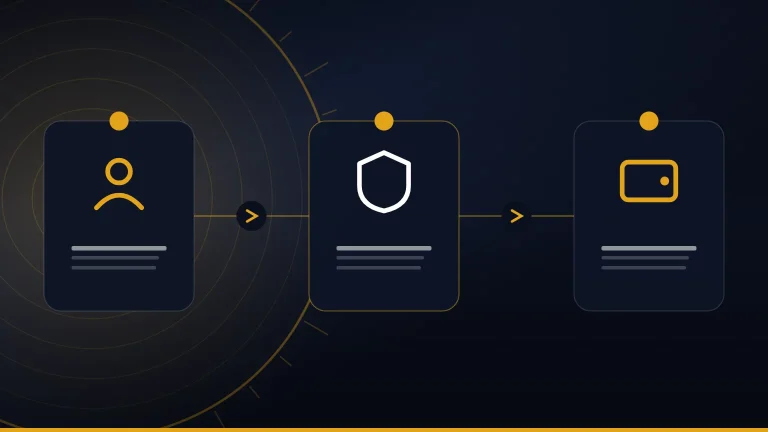
The current Agents Area describes a four-stage partner process:
| Stage | What Game Vault currently describes |
|---|---|
| Apply | Send your details through a supported application route |
| Onboard | Game Vault reviews the information submitted |
| Launch | Approved partners receive access to credits, tools, and marketing assets |
| Grow | Partners manage stores, sub-distributors, and players through a dashboard |
Game Vault says the review during onboarding is typically completed within 24 hours. That is the publisher’s stated normal timeframe, not a guarantee that every applicant will receive a decision or approval within exactly one day.
If approved, the site says partners can receive access to:
- credits;
- backend or management tools;
- marketing resources;
- a dashboard for managing business activity.
Game Vault also maintains an Agent Marketing Pack containing downloadable flyers and short-form promotional videos for partner use.
The public page does not state that every applicant is automatically approved. It is therefore better to treat the application as a review process rather than assuming that submitting a form immediately creates an agent account.
What You Need Before Applying
Basic Contact and Business Information
The current public application form keeps the initial requirements simple. It requests basic contact information such as your name, email, and phone number.
The public Agents page reviewed for this guide does not clearly state that every applicant must provide:
- company-registration documents;
- bank statements;
- a particular amount of starting capital;
- government ID at the initial form stage;
- a specific business licence;
- proof of a physical shop;
- a fixed minimum credit purchase.
Those requirements should not be invented simply because similar distributor programs may request them.
Game Vault may ask for additional information during private onboarding or verification. If that happens, check that the request comes through the same verified partner channel you used to apply and understand why the information is required before submitting sensitive documents.
Be Ready to Explain How You Plan to Operate
Although the initial form is brief, Game Vault describes the opportunity as a distributor or store partnership rather than a simple referral program. Its Agents page also says approved partners can manage stores, sub-distributors, and players through a dashboard.
That makes it reasonable to be prepared to explain the business you intend to operate, such as:
- whether you already serve gaming customers;
- the market or area in which you intend to operate;
- how you expect players to obtain support;
- whether you plan to operate directly or through sub-distributors;
- how you intend to handle customer communication and transactions.
These are practical preparation points, not published Game Vault eligibility requirements.
The current public page does not clearly say that applicants must have a physical storefront. Do not assume that a shop, kiosk, or office is mandatory unless Game Vault specifically makes it part of your onboarding terms.
Game Vault does separately promote kiosk integration for businesses, including player-access and credit-management features, but that is an additional business option rather than evidence that every distributor must operate a kiosk.
Check Whether the Business Model Is Permitted Where You Operate
Before accepting customers or payments, check how this type of activity is regulated where you intend to operate.
Game Vault’s own player pages describe a model involving sweepstakes and skill-based games, player credits, authorized stores, verified agents, and redemption of winnings according to store policies. Its FAQ also says credit loading and withdrawals can involve verified agents.
Those features can raise different legal and regulatory questions depending on the jurisdiction. Rules may vary between countries and, in some places, between states, provinces, or other local regions.
Before operating as a distributor or store partner, consider confirming requirements related to:
- gaming or sweepstakes activity;
- business registration;
- licences or permits;
- payment handling;
- age restrictions;
- taxes and recordkeeping;
- advertising rules;
- consumer protection;
- prize or redemption activity.
Do not assume that approval from Game Vault automatically establishes that the business model is lawful everywhere. Platform approval and local regulatory compliance are separate issues.
If local rules are unclear, obtain advice appropriate to the specific jurisdiction before accepting player funds or launching commercial activity.
What Does a Game Vault Agent Do?
Help Players Create Accounts and Obtain Credits
A Game Vault agent is involved in the live account and credit system, not simply in promoting or sharing the Game Vault app.
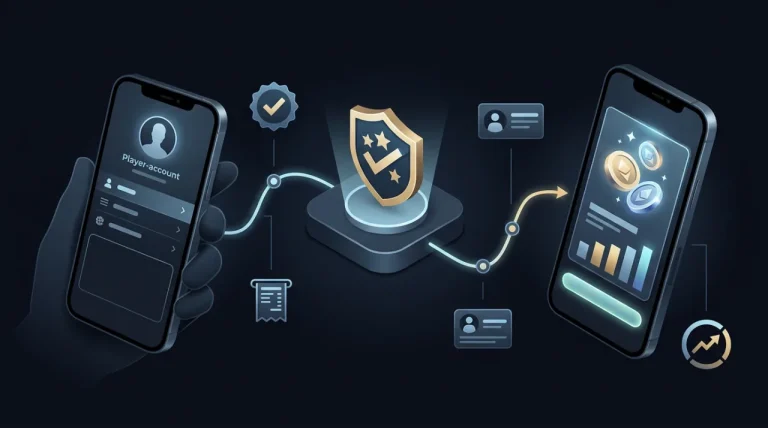
The current Game Vault FAQ says verified agents can help new users create an account and load credits. It also says Game Vault itself does not directly handle player loading and withdrawals, which makes the verified-agent network an important part of the service’s transaction flow.
The Players page describes the same model from the user’s side. It says credits can be purchased through authorized stores within the Game Vault network, after which the credits appear in the player’s account.
In practical terms, an agent or store partner may therefore be involved in:
- helping a player get set up;
- connecting the player with the correct account process;
- supplying or arranging credits through the authorized network;
- responding when a credit transaction needs clarification;
- directing problems to Game Vault support when they cannot be resolved at the store or agent level.
This is different from simply sending someone an APK download link. The agent role is tied to an active player account, credits, payments, and ongoing service access.
Handle Player Transactions Through the Verified Network
Game Vault’s current FAQ says verified agents tell players which payment methods are available in their region and advises players to confirm those methods directly before sending funds.
The same FAQ says withdrawals are handled through verified agents, with support available when a player needs help with a cash-out or has a problem with an agent.
That means a Game Vault agent may be involved in both sides of the player’s credit lifecycle:
- helping the player fund or load the account;
- confirming an accepted payment method;
- ensuring the credits are reflected correctly;
- assisting with the applicable withdrawal or redemption process.
The first-party pages do not currently publish a universal payment processor, fixed deposit amount, withdrawal fee, settlement time, or cash-out limit for every agent or region. Those details should not be guessed.
A prospective agent should therefore understand the exact transaction rules supplied during onboarding before accepting player funds. The applicable payment methods, responsibilities, and settlement procedures should come from the verified partner arrangement rather than from an unofficial reseller or forum post.
Manage Stores, Sub-Distributors, and Players
The Game Vault Agents page describes a broader management role after onboarding.
Under its “Grow” stage, Game Vault says partners can manage their store, sub-distributors, and players through a dashboard.
This suggests that the partner system can support more than a single player-facing account. A distributor may have responsibility for several layers of activity, depending on the access granted during onboarding.
Possible management functions described or implied by the first-party partner structure include:
- overseeing a store;
- managing player relationships;
- working with sub-distributors;
- monitoring credit-related activity;
- using backend tools supplied by Game Vault;
- coordinating support or transaction issues.
Game Vault also promotes a kiosk integration product designed to automate player access and credit management and support multiple locations, which indicates that some partners may operate more structured store environments.
The partner dashboard should not be confused with an ordinary Game Vault log in used by a player. A normal player account is for accessing games and credits, while the partner dashboard is described as a business-management tool for approved distributors or stores.
Use Game Vault Marketing Materials
Approved partners also have access to promotional resources.
Game Vault currently publishes an Agent Marketing Pack containing ready-to-use promotional flyers and downloadable short-form reels for social channels. The pack includes graphics and videos tied to individual Game Vault games and general promotional material.
These materials can help partners promote their store or Game Vault offering without creating every visual asset from scratch.
The availability of a marketing pack does not mean that Game Vault guarantees:
- a certain number of customers;
- a fixed conversion rate;
- a specific monthly income;
- automatic profitability;
- exclusive access to a territory.
Marketing support is a resource, not an earnings guarantee. Anyone considering the partner program should evaluate the commercial terms and operating costs separately from the promotional material supplied.
Game Vault Agent Login and Dashboard
No Public Agent Login URL Is Clearly Listed
Game Vault currently says approved partners can manage their business through a dashboard, but the first-party pages reviewed for this guide do not publish a clearly identified public Game Vault agent login URL.
That is an important distinction.
The Agents page describes the sequence as:
- apply;
- complete onboarding;
- receive access to credits, tools, and marketing assets;
- manage stores, sub-distributors, and players through the dashboard.
This wording indicates that dashboard access is part of the post-approval partner process rather than a public login that anyone can register for independently.
Do not guess a dashboard domain based on search results, similar branding, or a URL shared in a messaging group.
A legitimate partner login should be traceable to the credentials and instructions supplied through Game Vault’s verified onboarding process.
Use Credentials Supplied Through the Verified Onboarding Process
After approval, use only the dashboard URL and credentials supplied through the verified Game Vault partner process.
Do not assume that the username and password used by a normal player will automatically work as a Game Vault agent login. Player accounts and distributor access serve different purposes.
The first-party site separates these roles clearly:
- the Players page describes accounts used to obtain credits and play games;
- the Agents page describes a dashboard used to manage stores, sub-distributors, and players.
That makes unofficial dashboard links particularly risky.
Avoid entering partner credentials into:
- links sent by unknown Telegram users;
- reseller-created login pages;
- shortened URLs with an unclear destination;
- websites using copied Game Vault branding;
- pages claiming to “upgrade” a player account into an agent account.
If a dashboard link changes, confirm the replacement through the same verified partner channel rather than searching for a new Game Vault agent login independently.
What to Do if You Lose Agent Access
If you can no longer access the partner dashboard, start with the distributor contact route published by Game Vault rather than sending credentials to someone claiming to offer login recovery.
The Game Vault homepage currently lists:
For Distributors: [email protected]
The Agents page also provides its current application and partner-contact routes through messaging services and the on-site form.
When requesting access help, be prepared to identify the partner account through the information supplied during onboarding. Do not send a password, one-time code, recovery code, or other sensitive authentication information unless the verified system specifically requires it through a trusted process.
Be especially cautious with messages claiming they can restore or unlock your Game Vault agent login in exchange for an advance payment or by asking for your existing password. A legitimate access problem should be handled through the current distributor or partner support route, not through an unverified third party.
How Much Does a Game Vault Agent Make?
No Public Commission Rate Is Currently Published
Game Vault 999 does not currently publish a fixed agent commission rate, per-player payout, per-credit earnings figure, or guaranteed monthly income on its public Agents page.
Instead, the site promotes “competitive pricing” and “healthy profit margins” as benefits of becoming a distributor or store partner. It does not attach a percentage or dollar amount to those claims.
That means figures such as “10% commission,” “$500 per player,” or a guaranteed monthly profit should not be presented as official Game Vault terms unless they appear in a verified partner agreement or current first-party communication.
The public information supports only a narrower conclusion: Game Vault presents the program as a commercial opportunity with partner pricing and potential margins, but the exact economics are not disclosed publicly.
Ask for the Full Commercial Terms Before Committing
Before accepting a Game Vault distributor or store-partner arrangement, ask for the financial and operational terms that determine what you could actually earn.
Important questions include:
- What is the wholesale or partner price for credits?
- How is the partner margin calculated?
- Are there minimum credit purchases?
- Are there recurring platform, dashboard, or support fees?
- How and when are settlements handled?
- Who is responsible for player cash-outs or redemptions?
- Who absorbs chargebacks, refunds, disputed payments, or fraud losses?
- Are there minimum transaction volumes?
- Are territories exclusive or shared?
- Can pricing or margins be changed later?
- What happens to unused credits if the partnership ends?
- Who owns the player accounts and customer relationship after termination?
These are questions a prospective partner should clarify; they are not terms currently published on the public Agents page.
Game Vault’s player FAQ says verified agents are involved in loading credits, regional payment methods, and withdrawals, which makes settlement and cash-out responsibilities especially important to clarify before operating.
Whenever possible, obtain the important commercial terms in writing. A written agreement is more useful than relying on a messaging conversation when there is later disagreement about pricing, payments, territories, or account access.
Revenue Depends on More Than the Advertised Margin
A stated margin does not equal net profit.
Even if Game Vault offers favorable partner pricing, actual earnings can depend on several operating factors, including:
- number of active players;
- frequency and size of credit transactions;
- payment-processing costs;
- customer-support workload;
- refunds and transaction disputes;
- fraud losses or chargebacks;
- local taxes;
- licensing or compliance expenses;
- advertising costs;
- staff or storefront expenses;
- cash-out and settlement obligations.
For example, a partner can have a positive gross margin on credits but still make little or no net profit if support costs, payment disputes, taxes, or customer-acquisition expenses are high.
Game Vault’s public page markets the opportunity in terms of business growth and healthy margins, but it does not guarantee profitability.
A useful pre-joining checklist is:
| Ask about | Why it matters |
|---|---|
| Credit pricing | Determines the basic gross margin |
| Fees | Can reduce actual profit |
| Minimum purchases | Affects required working capital |
| Settlement timing | Influences cash flow |
| Cash-out responsibility | Determines liquidity obligations |
| Chargebacks/refunds | Clarifies who carries transaction risk |
| Territory rules | Affects competition and customer reach |
| Support obligations | Determines workload and staffing needs |
| Account ownership | Matters if the partnership ends |
| Termination terms | Clarifies what happens to balances and access |
Treat the program as an operating business arrangement rather than an easy-income or passive-income opportunity.
Is There a Fee to Become a Game Vault Agent?
The Public Agents Page Does Not Clearly Publish a Signup Fee
The current Game Vault Agents page does not clearly list a fixed application fee, franchise fee, joining fee, security deposit, or minimum opening balance in its public information.
The page explains the application and onboarding sequence and says approved partners receive access to credits, tools, and marketing assets, but it does not provide a public fee schedule.
That does not prove that becoming a distributor has no financial requirements.
A partner may still be asked to purchase credits, maintain a balance, meet a minimum order, or satisfy other commercial conditions during onboarding. Those details are simply not stated clearly on the public page reviewed here.
Do not describe Game Vault agent registration as “completely free” unless the current first-party partner terms explicitly confirm that.
Verify Any Deposit or Purchase Requirement Before Paying
If someone asks you to pay money during onboarding, verify exactly what the payment represents before sending it.
Ask:
- Is this an application fee, deposit, credit purchase, or opening balance?
- Who is receiving the payment?
- Is the amount refundable?
- Will it appear in the partner dashboard?
- Is there an invoice or written agreement?
- What happens to the money if the application is rejected?
- What happens to unused funds if the partnership ends?
Confirm the request through a current first-party distributor contact rather than relying only on the person requesting payment.
Game Vault’s homepage currently lists [email protected] for distributor inquiries.
Do not send money merely because a Telegram, WhatsApp, Signal, or other messaging account claims it can “activate Game Vault agent status.” The official Agents page does use messaging apps as application routes, but the existence of those channels makes source verification more important, not less.
How to Verify a Real Game Vault Agent or Distributor Contact
Start From the Current First-Party Agents Page
Use gamevault999.com/agents as the starting point for distributor or store-partner applications.
The current page provides its own application form and links to supported messaging routes including Telegram, WhatsApp, and Signal.
Starting there gives you a traceable first-party path instead of relying on:
- social-media comments;
- forwarded messaging links;
- unofficial recruiter pages;
- search ads using Game Vault branding;
- screenshots of supposed agent contact details.
If a recruiter sends you to a different domain, dashboard, payment page, or messaging account, compare it with the current first-party site before continuing.
Cross-Check Contact Details
Before sharing personal information, credentials, or money, compare the contact information you received with what Game Vault currently publishes.
The homepage distinguishes between:
- player support:
[email protected] - distributor inquiries:
[email protected]
Game Vault’s current Contact page also lists public support channels including WhatsApp, Telegram, Signal, Messenger, and email.
The important point is not simply whether a recruiter uses Telegram or WhatsApp. It is whether the account, email, or application link can be traced back to the current first-party website.
Recheck live details before paying because messaging handles and contact information can change.
Do Not Trust a “Verified Agent” Claim by Itself
Calling yourself a verified Game Vault agent is not the same as proving it.
The current Game Vault FAQ says its verified agents have an official verification badge and specifically tells players to confirm that status before making a payment.
Applicants should use the same level of caution with people claiming to recruit distributors.
A screenshot of a badge can be copied. So can a logo, profile picture, username, or chat history.
Before treating someone as an authorized recruiter or distributor contact:
- start from the current first-party site;
- verify the contact route independently;
- compare the identity with published details;
- confirm unusual payment requests through another first-party channel;
- avoid relying solely on screenshots supplied by the person asking for money.
Verification is strongest when the relationship can be confirmed independently through Game Vault’s current site or support system.
Keep Records of Applications and Payments
Save a clear record of the partner application and any commercial transactions connected to it.
Useful records include:
- date and method of application;
- recruiter or distributor contact details;
- application confirmation;
- emails and relevant messages;
- written pricing or commission terms;
- invoices;
- payment references;
- credit-purchase records;
- dashboard access details;
- support case numbers;
- any written termination or refund terms.
These records can be important if there is later a dispute over onboarding, credits, payments, dashboard access, or the identity of the person who handled the application.
Game Vault’s FAQ says its support team can investigate problems involving agents and transactions, making clear documentation more useful if a payment or agent issue needs to be reviewed.
Agent Account vs Player Account
A Player Account Is for Playing
A normal Game Vault player account is designed for accessing the gaming service rather than running the business side of the network.
The current Players page describes the player flow as:
- download the Game Vault app;
- create an account;
- obtain credits through authorized stores;
- choose a game;
- use credits to play;
- redeem winnings according to the applicable store policies.
The Game Vault homepage also describes the player process as registering a gaming profile, getting credits from official agents, and then opening the app and logging in.
This means a standard Game Vault log in should not be confused with distributor access. A player profile is intended for gameplay and account activity; it does not automatically provide store-management tools, sub-distributor controls, or an agent dashboard.
Detailed player registration, app download, and login instructions belong in the main Game Vault 999 guide.
Related guideGame Vault 999: APK Download, Login & App GuideA Partner Account Is for Operating the Business Side
The partner role is different.
Game Vault’s Agents page describes approved distributors or store partners as receiving access to credits, tools, and marketing assets after onboarding. It also says partners can manage their store, sub-distributors, and players through a dashboard.
That makes the partner account an operational or business-facing role rather than another type of player profile.
A useful distinction is:
| Account type | Main purpose |
|---|---|
| Player account | Obtain credits, choose games, play, and manage personal gameplay |
| Distributor/store partner access | Manage business activity, players, stores, sub-distributors, and partner tools |
Creating a player account first does not make someone a verified Game Vault agent. The current public partner process requires a separate application and onboarding sequence through the Agents Area.
Likewise, having credits in a player account is not evidence that someone has distributor status.
Promo Codes Are Not Agent Credentials
A Game Vault 999 promo code free offer should not be confused with Game Vault agent approval.
The current Agents page describes partner access as application-based: submit details, go through review and onboarding, then receive access to credits, tools, marketing assets, and the partner dashboard if approved.
It does not describe:
- entering a promo code to become an agent;
- using a coupon to unlock distributor status;
- converting a player profile into a partner account with a code;
- activating a Game Vault agent login through a promotional offer.
A promo code, bonus, or credit offer may relate to player marketing, but it is not proof of distributor verification or partner-dashboard access.
If someone claims that a code can instantly create a verified agent account, compare that claim with the current first-party onboarding process before entering credentials or making a payment.
Game Vault Agent Scams and Warning Signs
Requests for Payment Before You Can Verify the Recruiter
A request for money is not automatically fraudulent, because commercial onboarding may involve credit purchases or other partner costs. The warning sign is being asked to pay before you can verify who you are dealing with or what the payment is for.
Take extra care with requests described as:
- agent activation fees;
- dashboard unlock fees;
- verification deposits;
- mandatory credit purchases;
- security payments;
- “fast approval” charges.
The current Game Vault Agents page provides first-party application routes through its own form and linked messaging channels. Start there and independently confirm any later payment request through the current distributor channel.
The homepage separately identifies [email protected] for distributor inquiries.
Do not send funds solely because someone in Telegram, WhatsApp, Signal, or another messaging service claims to represent Game Vault.
Guaranteed Profit or Fixed-Earnings Promises
Game Vault’s Agents page markets the partner opportunity using phrases such as competitive pricing and healthy profit margins, but it does not publish a guaranteed monthly income, fixed commission percentage, or guaranteed return.
Be cautious when a recruiter promises:
- guaranteed daily profit;
- fixed earnings regardless of player activity;
- risk-free returns;
- guaranteed customers;
- guaranteed recovery of an initial deposit;
- a specific monthly income that does not appear in written partner terms.
Real business results can depend on player volume, payment costs, disputes, support workload, taxes, operating expenses, and local compliance requirements.
A stronger commercial offer should explain how margins, settlements, fees, and liabilities actually work rather than relying only on an income promise.
Fake Agent Login Pages
A page asking for Game Vault agent login credentials should be traceable to the verified onboarding process.
The current Agents page says approved partners eventually manage their stores, sub-distributors, and players through a dashboard, but it does not publicly expose a clearly documented universal agent-login URL in the material currently available.
That makes unsolicited dashboard links particularly important to verify.
Do not enter distributor credentials into:
- a normal player-login page;
- a domain shared by an unknown reseller;
- a shortened link whose destination is unclear;
- a page sent by an unofficial Telegram group;
- a website that copies Game Vault branding but cannot be connected to gamevault999.com.
If a login link changes, confirm the new destination through the first-party distributor channel before using it.
“No Verification” Partner Accounts
Game Vault’s current public model explicitly emphasizes verified agents.
Its FAQ says verified agents assist with account creation and credit loading, and it tells players to confirm an agent’s official verification badge before making a payment.
An offer for a:
- “no verification” Game Vault agent;
- unlocked distributor account;
- bypassed agent account;
- pre-verified account sold by a stranger;
- dashboard login that skips onboarding
does not match the partner model Game Vault currently publishes.
That does not automatically prove every such offer is fraudulent, but it creates a clear conflict with the documented first-party process and deserves extra scrutiny.
A partner account should be tied to the verified application and onboarding process, not simply purchased as credentials from an unknown third party.
Game Vault Agent vs Other Similar Searches
“Cash Vault” or Other Game Publishers Are Separate Entities
The word “Vault” appears across many unrelated games, apps, publishers, promotions, and lottery products. A similar name does not establish a business relationship with Game Vault 999.
For example, current search results for “Cash Vault” surface unrelated products using that phrase, including lottery titles, rather than evidence of a shared Game Vault 999 distributor network. The name alone is therefore not enough to transfer agent instructions from one product to another.
Before treating another “Vault” brand as connected to Game Vault 999, verify:
- exact product name;
- publisher or operator;
- official website;
- account system;
- partner or distributor page;
- support channels.
Do not use Game Vault 999 agent credentials, payment procedures, or application steps on a different service simply because the branding sounds similar.
“Games Like Game Vault” Is a Player-Choice Search
A search for games like Game Vault has a different intent from how to become a Game Vault agent.
Someone comparing similar gaming platforms is usually trying to decide what to play or which service offers comparable games. A prospective distributor instead needs information about applications, partner access, commercial terms, verification, and operating responsibilities.
Mixing those two intents would make this guide less useful and could also blur the distinction between joining Game Vault’s partner network and simply choosing another gaming app.
This article therefore stays focused on distributor and store-partner participation rather than listing alternative gaming platforms.
Game Vault 999 Player Access Is Covered Separately
Player access and agent access should remain separate throughout the site.
For normal Game Vault 999 players, the main topics are:
- Android or iOS access;
- downloading the app;
- creating a player profile;
- logging in;
- getting credits;
- selecting games;
- account and support issues.
The Players page confirms that this is the normal player journey.
The current agent program, by contrast, focuses on becoming a distributor or store partner and gaining access to business tools after onboarding.
Use the dedicated guides for the appropriate intent rather than treating a player account, distributor account, or similarly named “Vault” product as interchangeable.
Related guideGame Vault 999: APK Download, Login & App GuideConclusion
To become a Game Vault agent, use the current first-party distributor/store-partner application process rather than an unofficial agent-login or activation page. Game Vault currently accepts applications through its Agents Area and describes a review, onboarding, launch, and partner-management process.
The public site does not publish a fixed commission percentage, guaranteed income, signup fee, or universal agent-login URL. Those commercial details should be confirmed during verified onboarding and, where important, obtained in writing.
The biggest practical checks are straightforward: verify the recruiter through gamevault999.com, understand credit and cash-out responsibilities, confirm any payment request before sending money, and make sure the business model is permitted where you operate. The next step for a prospective partner is to review the live Agents Area and apply through one of the contact methods linked there.
FAQ
Can I become a Game Vault agent without a physical store?
The current Agents page does not state that every applicant must operate a physical shop. It refers to both distributors and store partners and provides a general application process. If your business is online or does not have a storefront, describe how you plan to operate and confirm eligibility during onboarding.
Can I apply to become a Game Vault agent from any country?
Game Vault’s public Agents page does not currently publish a complete list of eligible or restricted countries. Applicants should confirm territory availability with the distributor team and separately check local rules for gaming, sweepstakes, payments, taxes, age restrictions, and consumer protection before operating.
Can a Game Vault agent have sub-distributors?
The Agents page says approved partners can manage sub-distributors through their dashboard, indicating that the partner structure can include more than one operating level. The public page does not explain recruitment limits, sub-distributor commissions, or approval rules, so those details should be confirmed during onboarding.
Does Game Vault give agents an exclusive territory?
No public exclusivity policy is clearly stated on the current Agents page. Before joining, ask whether your territory is exclusive, shared with other partners, or subject to future changes. This can materially affect competition, customer acquisition, and the commercial value of the partnership.
How long does Game Vault agent approval take?
Game Vault says its team typically reviews applicant information within 24 hours. That is a stated normal review timeframe, not a guaranteed approval deadline. Additional verification or business discussions could make an individual application take longer.
Can I operate a Game Vault kiosk as an agent?
Game Vault currently advertises a separate kiosk integration designed to automate player access and credit management, with API integration and support for multiple locations. That shows kiosk operation is part of its wider business offering, but the public page does not say every distributor automatically receives kiosk access.
Work-from-home offersBefore accepting any agent or reseller role, read the FTC’s guide on spotting job scams.