
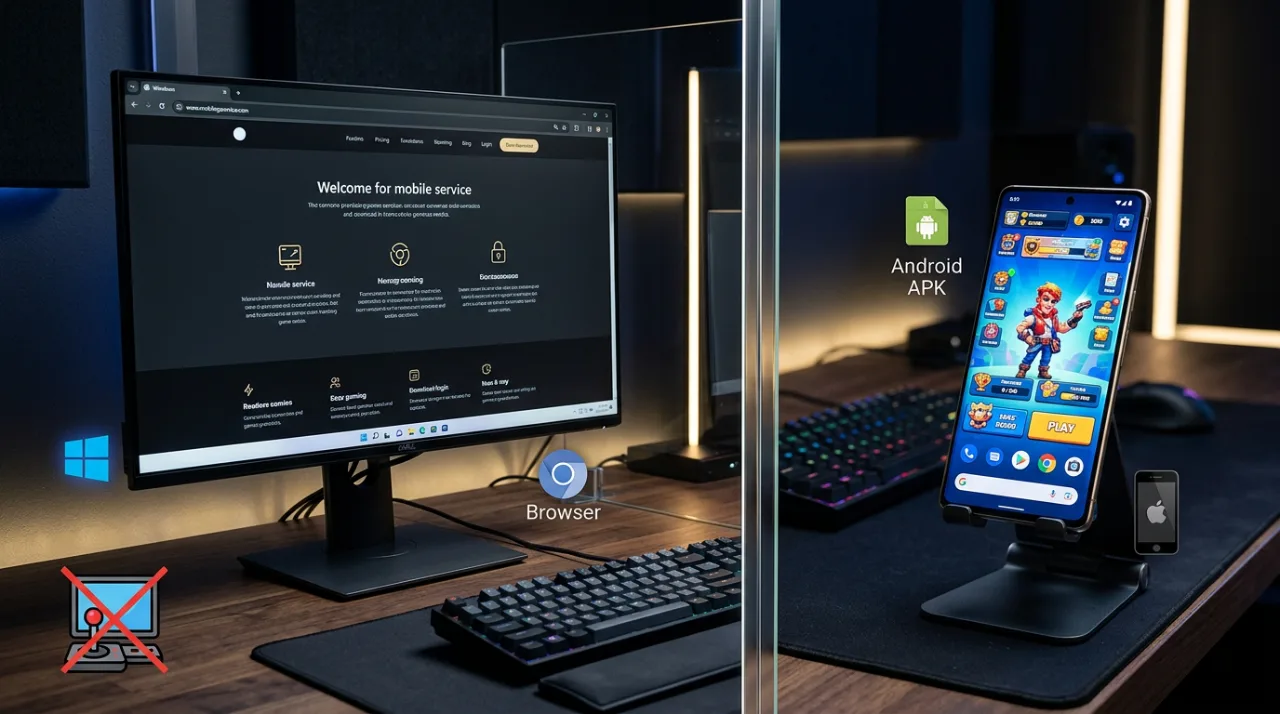
Game Vault PC access is not currently offered as a native Windows app or browser-play version by Game Vault 999. The platform’s present FAQ states that Game Vault is mobile-only, supports Android and iOS, and does not offer a web version.
That distinction matters because the official Game Vault website itself works in a desktop browser. From a PC, you can open gamevault999.com, read the FAQ, view featured games, use its registration or contact forms, and reach current support information. That does not mean the site is a playable Game Vault web version or that it provides a public Game Vault web login for browser gameplay.
The Android APK is also not a Windows application. Third-party Android emulators may run some APKs in general, but Game Vault’s current documentation does not list emulator or Windows support.
This guide focuses specifically on what PC users can and cannot do: the current web-login status, the difference between the website and a browser game, Android APK limitations on Windows, unofficial PC-download risks, and the supported route when you want to actually play.
Can You Play Game Vault on PC?
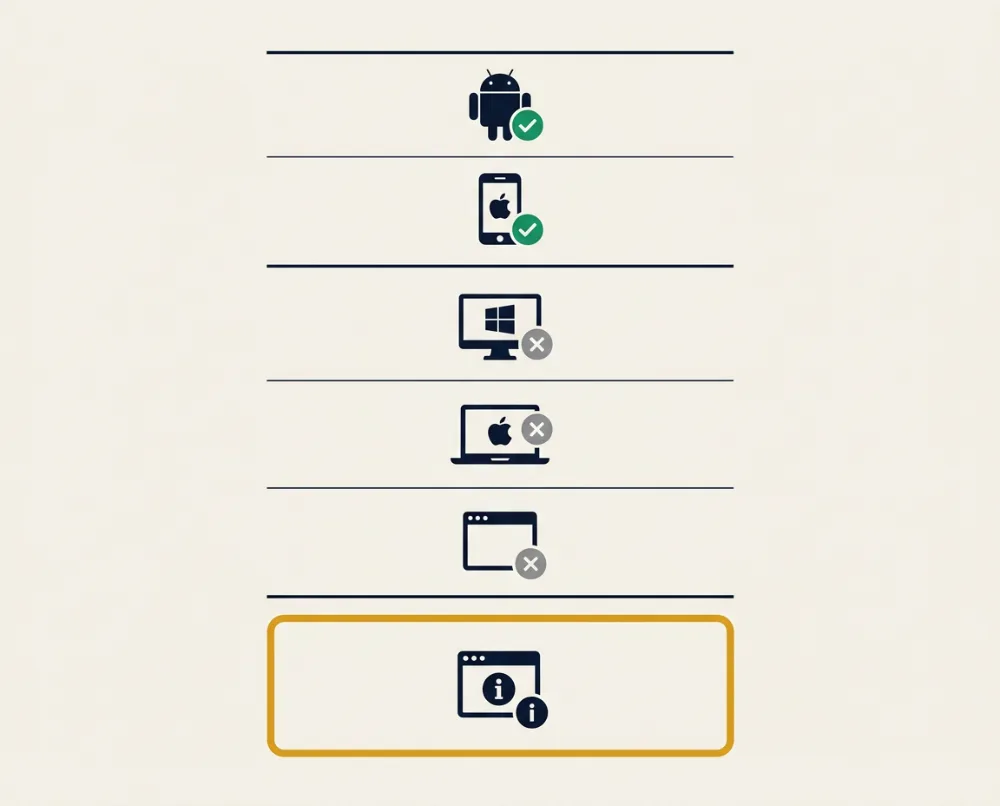
Game Vault 999 Is Currently Mobile-Only
Game Vault 999 does not currently document a supported PC version for players. Its first-party FAQ states that Game Vault is available only on iOS and Android and explicitly says, “We do not offer a web version.”
That means there is no verified Game Vault 999 Windows application, browser game, or native desktop client published by the current first-party site. The platform’s player instructions consistently direct users toward the mobile app rather than Windows or macOS software.
The Android APK should not be confused with a PC installer. APK is the application-package format used for Android apps; it is not the equivalent of a Windows .exe or .msi file.
For someone searching Game Vault for PC, the current platform picture is:
| Platform | Current first-party status |
|---|---|
| Android | Supported |
| iOS | Supported |
| Windows native app | No verified first-party player app documented |
| macOS native app | No verified first-party player app documented |
| Browser/web gameplay | Not offered according to the FAQ |
These platform details can change, so any future Windows or browser release should be confirmed through Game Vault’s own current website rather than an old download page.
The Game Vault Website Is Not the Game Vault Web Version
Game Vault does have a website that opens normally on a desktop computer, but the website should not be confused with a playable Game Vault web version.
The current site contains:
- featured-game listings;
- platform and player information;
- FAQs;
- a player registration form;
- support and contact options;
- app-download instructions.
Opening those pages in Chrome, Edge, Firefox, or another desktop browser does not establish that the games themselves run inside the browser.
This distinction can be easy to miss because the site displays many games and uses “play now” language beside its listings. However, its own FAQ provides the clearer platform statement: Game Vault is mobile-only and requires the iOS or Android app for gameplay.
A normal website can provide registration, game information, support, and download links without functioning as a browser game client. At present, that is how the first-party Game Vault 999 site should be understood.
There Is No Verified First-Party PC Download
The current Game Vault 999 player instructions tell users to download the app, create an account, obtain credits through the supported network, and then choose a game. They do not provide a Windows installer or desktop-download procedure.
No current first-party player page reviewed for this guide provides a:
- Windows
.exeinstaller; - Windows
.msipackage; - Microsoft Store player listing;
- macOS desktop application;
- dedicated PC client.
That makes third-party pages advertising a “Game Vault PC download” a separate trust question. A Windows download should not be described as official merely because it uses the Game Vault name, logo, or screenshots.
The same applies to sites that repackage an Android APK together with emulator software. Such a bundle is not a native Game Vault Windows release unless Game Vault itself documents and distributes it as one.
For current mobile installation and account guidance, use the dedicated Game Vault 999 guide rather than treating an unofficial desktop package as a substitute.
Related guideGame Vault 999: APK Download, Login & App GuideIs There a Game Vault Web Login?
No Public Player Web-Login Portal Is Currently Documented
There is currently no first-party Game Vault web login documented for playing from a PC browser.
The Game Vault FAQ says players must use the Android or iOS application and specifically states that the platform does not offer a web version.
The public website does contain forms. For example, the homepage displays a Player Registration Form requesting a name, email address, and phone number, while the contact page provides a general message form.
Those forms should not be mistaken for a browser-based player-login portal.
A registration form can begin the process of setting up an account. A login portal would let an existing player authenticate and access the gaming service directly through the browser. The current first-party documentation supports the former, not the latter.
There is therefore no verified public Game Vault website-login URL to provide for browser gameplay.
How Players Currently Access Their Accounts
Game Vault’s current instructions center account access around the mobile application.
The first-party homepage describes the process as:
- download the Game Vault app;
- register an account;
- obtain credits through its verified-agent network;
- launch the app and log in with the account credentials.
Its FAQ similarly says new users can message or email Game Vault so a verified agent can assist with account creation and credit loading.
The Players page describes the same general flow: download the iOS or Android app, create an account, get credits through the supported network, and then choose a game.
For PC users, that means the website can help start the registration or support process, but actual player access is currently documented through the mobile app rather than a browser dashboard.
Detailed registration, mobile login, APK installation, and account setup are covered in the main guide.
Related guideGame Vault 999: APK Download, Login & App GuideBe Careful With Unofficial “Game Vault Web Login” Pages
A search result titled Game Vault web login is not automatically an authorized Game Vault 999 login page.
This matters because entering an existing username, password, phone number, or payment information into an unrelated site can expose account credentials. Similar Game Vault names are also used by unrelated apps and gaming services, which makes name-matching alone unreliable.
Before entering Game Vault credentials on a webpage:
- check that the domain or login route is linked from the current first-party Game Vault website;
- avoid URLs that imitate the brand with unusual spellings or extra words;
- be cautious with shortened links whose final destination is unclear;
- do not assume a casino site is related simply because “Game Vault” appears in its title;
- verify payment or agent information through the current first-party support channels before sending funds.
The current FAQ specifically advises users to confirm an agent’s verification status before payment.
Because no public browser-player login is currently documented, an unfamiliar page claiming to provide one deserves additional verification rather than immediate sign-in.
What Can You Do on the Game Vault Website From a PC?
View Game and Platform Information
A PC is still useful for accessing the public Game Vault website even though the current service does not provide browser gameplay.
The site can be opened in a normal desktop browser to review current information such as:
- featured game listings;
- Game Vault FAQs;
- Android and iOS platform guidance;
- registration information;
- player instructions;
- support details.
The Players page also explains the platform’s basic account and credit flow, while the About page identifies Android and iOS as its supported player platforms.
This can be useful when researching the service from a larger screen or checking current instructions before installing the mobile application.
It does not change the platform limitation: the first-party FAQ still says the actual game service is mobile-only.
Start the Registration or Support Process
The Game Vault website can also be used from a PC to begin contact with the platform.
Its homepage currently includes a Player Registration Form asking for a name, email address, and phone number. The page says an agent will respond after those details are submitted.
Game Vault’s contact page provides a separate form for contacting the support team.
That makes the website useful for initiating registration or requesting help even when you are sitting at a Windows PC.
However, filling in one of these forms does not create a playable browser session. The site’s own instructions still direct players to download and launch the mobile app for gameplay and account access.
Contact Game Vault Support
PC users can access the same public support details shown on Game Vault’s current contact page.
The site presently lists:
- Email: [email protected]
- WhatsApp: +852 64386769
- Telegram: @GvVssupport3
- Signal: GameVault999
- Messenger: GameVault999
The FAQ separately says support is available through email, Telegram, and WhatsApp.
These channels are more relevant when a PC user is actually dealing with an account, agent, credit, or access problem rather than simply trying to find a nonexistent Windows download.
Because contact handles and phone numbers can change, use the details on the live Game Vault contact page rather than copying them from an old forum post, video description, or third-party download page.
Can You Run the Game Vault Android APK on Windows?
APK Files Are Made for Android
A Game Vault APK is an Android application package, not a native Windows program. Google describes APK as Android’s installable and executable app format. (developer.android.com)
That distinction matters for anyone searching Game Vault for PC. A normal Windows installation expects desktop software designed for Windows, commonly distributed through formats such as .exe or .msi. An .apk file contains an Android application instead.
Simply downloading the Game Vault APK to a Windows computer and double-clicking it does not convert it into a PC version. Windows does not treat the APK as the equivalent of a native desktop installer.
The same applies to searches for Game Vault 999 APK download for Android latest version. That phrase points to the Android release, even when the file itself is downloaded using a PC browser. Downloading an Android package on Windows does not change its target platform.
The current Game Vault 999 FAQ reinforces this distinction by listing only Android and iOS as supported player platforms and stating that no web version is offered. (gamevault999.com)
Android Emulators Are Not an Official Game Vault PC Platform
Android emulation is one way Android applications can technically run on a computer.
An emulator creates a virtual Android environment rather than converting the APK into Windows software. Google’s own Android Emulator, for example, can install APK files and run them inside an emulated Android device on a computer. (developer.android.com)
Third-party Android emulators use the same general idea: the app runs inside an Android-compatible environment hosted by Windows.
That does not mean Game Vault 999 officially supports emulator use.
The current Game Vault website and FAQ document Android and iOS mobile access but do not provide instructions for:
- Windows emulators;
- an officially recommended Android emulator;
- a Game Vault PC emulator configuration;
- keyboard mapping for desktop use;
- emulator-specific account or login support. (gamevault999.com)
For that reason, an emulator should be considered an unofficial workaround rather than a supported Game Vault PC platform.
No specific emulator should be presented as “compatible with Game Vault” or “recommended by Game Vault” unless the platform itself publishes that information.
Why an Emulator May Still Fail
Even when an emulator successfully installs an APK, the application may not work correctly.
Game Vault could encounter problems related to:
- CPU or app architecture;
- graphics rendering;
- Android version compatibility;
- networking behavior;
- device-integrity or environment checks;
- login and authentication;
- Google or Android services expected by the app;
- touch-based controls that do not translate well to mouse and keyboard.
Emulation itself adds another compatibility layer. Google notes that Android emulators simulate Android hardware and software on a computer, which means the app is still running in a virtual Android environment rather than directly as a Windows application. (developer.android.com)
Installation therefore proves very little about actual Game Vault compatibility. An APK may install but crash, fail at login, display incorrectly, or be rejected by the service.
Do not disable Play Protect, certificate checks, antivirus software, or other device protections simply to force Game Vault to run in an unsupported environment. If an emulator requires weakening normal security controls or installing an unverified modified APK, that is a stronger reason to stop rather than continue troubleshooting.
Game Vault PC vs Game Vault Web Version
A PC App and a Web Version Are Different
A Game Vault PC app and a Game Vault web version would be two different types of software.
A native PC app would be built specifically for a desktop operating system such as Windows or macOS. It would normally be installed on the computer and run as desktop software.
A web version would run through a browser such as Chrome, Edge, Firefox, or Safari. Users would visit a website, authenticate there, and play without installing the Android or iOS app.
Game Vault 999 currently documents neither option for player gameplay.
Its FAQ says:
- Game Vault is available only on Android and iOS;
- players must download the mobile app;
- no web version is offered. (gamevault999.com)
That means “Game Vault PC” should not currently be interpreted as an official Windows app, while “Game Vault web” should not be interpreted as a supported browser game.
| Access method | What it means | Current Game Vault 999 status |
|---|---|---|
| Game Vault website | Public informational/support website | Available on desktop browsers |
| Web game | Games run directly inside a browser | Not offered according to the current FAQ |
| Android APK | Installable Android application | Supported on Android |
| iOS app | Mobile application for Apple devices | Supported |
| Native Windows app | Dedicated Windows software | No current first-party version documented |
| Native macOS app | Dedicated Mac software | No current first-party version documented |
The Existing Website Does Not Change That
Game Vault’s website can be opened from almost any modern desktop browser. That alone does not make it a web gaming client.
The site contains game listings, player information, registration forms, FAQs, support routes, and app-download instructions. Its games page also displays individual game entries and “play now” wording. (gamevault999.com)
Those visible elements can create the impression that clicking through from a PC should launch browser gameplay. The platform’s own FAQ provides the clearer answer: users must download the iOS or Android app, and Game Vault does not offer a web version. (gamevault999.com)
The practical distinction is simple:
gamevault999.com is a website you can visit on a PC, but it is not currently documented as a Game Vault browser-play platform.
That also means there is no reason to search through browser settings, enable Flash-style plugins, or install extensions in an attempt to reveal a hidden web client. The limitation comes from the platform’s documented support model, not from the browser being incorrectly configured.
Game Vault Casino Online and Browser-Play Claims
“Online” Does Not Necessarily Mean Browser-Based
The phrase Game Vault casino online can be misleading because “online” describes how a service connects to the internet, not necessarily how it is accessed.
Game Vault 999 is an internet-connected gaming platform. Its current website describes accounts, credits, game access, verified agents, and support services that rely on the live platform. (gamevault999.com)
Actual gameplay, however, is currently documented through the mobile application.
The FAQ states that players must download the Android or iOS app and that Game Vault does not have a web version. (gamevault999.com)
So these two statements can both be true:
- Game Vault is an online-connected service.
- Game Vault is not currently a browser-based game.
This is similar to many mobile apps that require internet access but still need an installed application rather than running entirely through a website.
Check the Product Identity Before Logging In
“Game Vault” is not a unique product name.
Search results can include Game Vault 999, Game Vault 777, unrelated casino-style sites, game-library software, and other products using similar branding. A webpage containing the words Game Vault casino online should therefore not automatically be treated as the Game Vault 999 service.
Before entering login details, check:
- the domain name;
- whether the page is linked from the current first-party Game Vault site;
- the publisher or operator identity;
- the account process being described;
- whether the service uses the same support and agent system;
- whether the platform documentation matches what gamevault999.com currently publishes.
A copied logo, familiar color scheme, or similar “Game Vault” title is weak evidence.
This matters even more for a supposed Game Vault web login, because the current first-party FAQ does not document a browser-based player login at all. (gamevault999.com)
An unfamiliar browser login page should therefore be verified before any username, password, phone number, or payment information is entered.
Do Not Send Payments Through an Unverified PC Site
Game Vault’s current FAQ says credits are handled through its verified agents and specifically tells players to confirm that an agent has an official verification badge before making a payment. It also says users should confirm available payment methods directly with the verified agent before sending funds. (gamevault999.com)
That guidance is especially important when browsing from a PC.
A desktop page asking for money is not automatically legitimate because it:
- displays a Game Vault logo;
- uses the words “official agent”;
- promises instant credits;
- shows familiar game screenshots;
- has “Game Vault” in the domain or page title.
Before sending funds, verify the payment route through the current first-party website or its published support channels.
The same caution applies to browser casinos claiming to provide direct Game Vault play. Since the current Game Vault FAQ says no web version is available, a site offering browser gameplay and requesting deposits should not be assumed to be part of Game Vault 999 without independent first-party confirmation.
How to Use Game Vault When You Only Have a PC
Use the Website for Information and Support
If a PC is your only available device, the official Game Vault website can still be useful even though it is not a browser-play platform.
From a desktop browser, you can use gamevault999.com to check:
- current FAQs;
- player and platform information;
- game listings;
- registration information;
- support and contact details;
- mobile-app download guidance.
The public site can therefore help with account setup, finding current support channels, or checking how the service works before using the mobile app.
It should not be treated as a hidden Game Vault web version. The current first-party FAQ says Game Vault is available on Android and iOS and explicitly states that it does not offer a web version. (gamevault999.com)
Opening the website on a Windows computer gives you access to information and support routes, not direct browser gameplay.
Use a Supported Mobile Device for Gameplay
For actual gameplay, the documented route remains a supported Android or iOS device.
Game Vault’s current FAQ identifies Android and iOS as the supported platforms, while the Players page directs users to download the mobile app before accessing games. (gamevault999.com)
That means a phone or tablet running a supported mobile operating system is the more reliable choice when the goal is to play rather than simply manage information from a PC.
A practical setup for someone who mainly works from a computer is:
- use the PC to review Game Vault’s current instructions or contact support;
- complete any necessary registration or agent communication;
- use a supported Android or iOS device for the actual Game Vault app.
This avoids relying on an undocumented Windows client or emulator configuration.
Detailed mobile download, login, and account instructions are covered separately.
Related guideGame Vault 999: APK Download, Login & App GuideDo Not Treat Third-Party Windows Downloads as Official
A website offering Game Vault for PC as a Windows download should not be treated as first-party simply because the file carries the Game Vault name.
The current Game Vault 999 site does not document an official:
.exeinstaller;.msiinstaller;- Microsoft Store desktop app;
- Game Vault Windows client;
- bundled Windows-and-APK package.
Third-party downloads can also combine an Android emulator with an APK and market the result as a “PC version.” That does not make the bundle an official Game Vault desktop release.
Be particularly cautious with files that ask you to disable antivirus protection, turn off Windows security features, install unknown certificates, or run additional executables before Game Vault can supposedly open.
If Game Vault adds native PC support in the future, verify it through gamevault999.com or another first-party page linked from there before installing anything.
Game Vault PC Not Working
The Website Opens but There Is No Play Button
If the Game Vault website opens normally on your PC but you cannot launch a game, that is consistent with the platform’s current documented setup.
The first-party FAQ says Game Vault is mobile-only and does not offer a web version. (gamevault999.com)
The absence of browser gameplay therefore does not necessarily indicate:
- a broken browser;
- disabled JavaScript;
- a missing extension;
- an incorrect Windows setting;
- a hidden login problem.
There is no documented Game Vault browser client that needs to be unlocked through Chrome, Edge, Firefox, or Safari settings.
Use the site for information and support, then move to a supported mobile device when you want to play.
A Web Login Page Rejects Your Credentials
A failed Game Vault web login should first raise a more basic question: is the page actually an authorized Game Vault 999 login page?
The current first-party documentation does not publish a browser-based player-login portal. Instead, it tells users to access their accounts through the mobile app. (gamevault999.com)
If an unfamiliar website asks for your Game Vault username and password, check the page before entering the credentials again.
Verify:
- the full domain name;
- whether the page is linked from gamevault999.com;
- whether its contact and account information matches the first-party site;
- whether it is actually Game Vault 999 rather than a different service using a similar name.
Repeatedly entering credentials into an unverified page can expose your account without solving the access problem.
If you already entered a password into a suspicious page, stop using that page and contact the current Game Vault support channel about the account rather than continuing to retry the login.
An Emulator Cannot Install or Open the APK
An emulator failure does not automatically mean there is something wrong with your Game Vault account.
The problem may instead come from the emulated Android environment. Possible causes include:
- unsupported Android version;
- CPU architecture mismatch;
- graphics incompatibility;
- missing Android services;
- networking problems;
- device-integrity checks;
- app behavior that depends on physical mobile hardware.
The current Game Vault documentation does not provide an officially supported emulator setup, so there is no first-party Windows configuration against which to troubleshoot these errors.
Do not respond to an emulator error by disabling Play Protect, certificate checks, Windows antivirus protection, or other security controls. Those protections do not become unnecessary simply because an APK is being installed inside an emulator.
If dependable Game Vault access is the priority, use a supported Android or iOS device rather than relying on an unsupported PC workaround.
Account or Credit Problems Persist Across Devices
If the same login, credit, agent, or cash-out problem appears on more than one device, the issue is unlikely to be caused purely by Windows or emulator compatibility.
Those functions depend on the live Game Vault account system.
The current Game Vault FAQ says new accounts and credit loading involve verified agents, while agent and cash-out problems should be taken to support. It also advises players to confirm an agent’s verification status before sending payments. (gamevault999.com)
Examples of service-side issues include:
- an account that cannot authenticate;
- credits that do not appear;
- difficulty reaching an assigned agent;
- payment or cash-out questions;
- account verification problems.
Switching browsers, downloading another APK, or trying a different emulator is unlikely to fix a problem tied to the account itself.
Use the current first-party support channels instead of treating an account issue as a PC-installation problem.
Game Vault PC vs Other “Game Vault” Desktop Products
Game Vault 999 Is Not the Self-Hosted GameVault Platform
One of the biggest sources of confusion around Game Vault PC searches is an unrelated product called GameVault.
That separate project is a self-hosted platform for organizing and managing a personal collection of DRM-free PC games. It is designed around a server-and-client model for storing and accessing game libraries on your own infrastructure.
It is not the same product as Game Vault 999.
The similarity in names can make desktop search results misleading because the self-hosted GameVault project genuinely relates to PC gaming, while Game Vault 999 currently documents Android and iOS access instead.
Do not transfer Windows installation instructions, server requirements, client software, or desktop features from the self-hosted GameVault project into Game Vault 999 setup instructions.
The two products have different purposes, software architectures, publishers, and account models.
Game Vault 777 and Crunchyroll Game Vault Are Also Separate
Other products sharing the phrase Game Vault should also be kept separate.
Game Vault 777 is a different app identity. Current Google Play listings include Game Vault 777: Casino Slots, published separately from Game Vault 999 and using its own Android package and product model.
Crunchyroll Game Vault is different again. It is a collection of games included with eligible Crunchyroll premium subscriptions rather than a Game Vault 999 desktop client or web login.
Neither product provides evidence that Game Vault 999 supports Windows.
The same naming overlap applies to other services, local businesses, and gaming tools containing “Game Vault.” Shared keywords do not establish a technical or business connection.
Which Guide Do You Need?
Use this page when your question is specifically about:
- Game Vault 999 on PC;
- Game Vault web access;
- Game Vault website login;
- Windows compatibility;
- browser gameplay;
- Android APK use on a computer.
For other Game Vault topics:
- Game Vault 999 APK download, mobile login, registration, and account access → use the main Game Vault 999 guide.
- Game Vault 777 → use the dedicated Game Vault 777 guide.
- Crunchyroll Game Vault → use the Crunchyroll Game Vault guide.
- Different products that share the Game Vault name → use the broader entity guide.
Conclusion
Game Vault PC access is currently limited by the platform itself, not by a missing browser setting or hidden Windows download. Game Vault 999’s current FAQ identifies Android and iOS as the supported platforms and says there is no web version.
A PC is still useful for opening the official website, checking platform information, starting registration, and reaching support. Actual gameplay, however, remains documented through the mobile app.
Third-party Windows clients, emulator bundles, and supposed Game Vault web-login pages should not be treated as official unless they can be verified through the current first-party site. If reliable gameplay is the goal, use a supported Android or iOS device and keep the PC for account information, support, and general website access.
FAQ
Can I play Game Vault 999 in Chrome or Edge?
You can open the Game Vault 999 website in Chrome, Edge, Firefox, or another desktop browser, but the current FAQ says the service does not offer a web version. Browser access therefore provides website information and support rather than direct Game Vault gameplay.
Can I use Google Play Games on PC for Game Vault 999?
Google Play Games on PC can run supported Android games on Windows, but availability is determined per title. Google labels games as optimized, playable, untested, unsupported, or unavailable. There is currently no verified first-party Game Vault 999 documentation identifying Google Play Games on PC as a supported access method.
Can I use Windows Subsystem for Android to run Game Vault?
Windows Subsystem for Android was previously a way to run certain Android apps on Windows 11, but Microsoft says that Windows Subsystem for Android and the Amazon Appstore stopped being available in the Microsoft Store on March 5, 2025. It is therefore not a current standard installation route for new Game Vault PC users.
Does creating an account on the Game Vault website let me play on PC?
No. Website registration and browser gameplay are different functions. The current Game Vault FAQ still tells players to download the Android or iOS app and states that no web version is offered. Registering through the website does not create a browser-play client.
Is an Android emulator an official Game Vault PC method?
No emulator is currently documented by Game Vault 999 as an officially supported PC platform. Android emulators can run some mobile apps in general, but installation and compatibility vary. An emulator working with another Android game does not establish Game Vault 999 compatibility.
Quick Fact-Checks
Fact-check: Windows Subsystem for Android is no longer a new-install route
Microsoft says Windows Subsystem for Android and the Amazon Appstore have not been available in the Microsoft Store since March 5, 2025. Older guides recommending WSA as the standard way to run Android apps on Windows are therefore outdated for new users.
Fact-check: Google Play Games on PC does not make every Android game a PC game
Google Play Games on PC has its own compatibility system. Titles may be labeled optimized, playable, untested, unsupported, or unavailable, so the existence of Google’s Windows client does not mean any arbitrary Android APK can automatically be used there.
Keeping your computer safeCISA shares simple steps for securing devices and accounts in its Secure Our World resources.