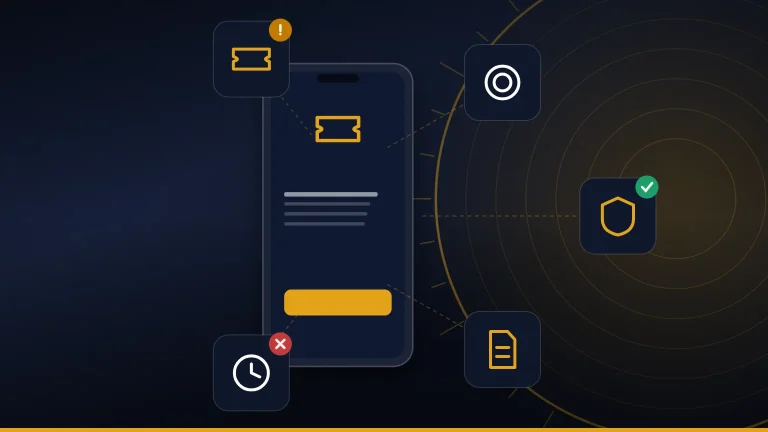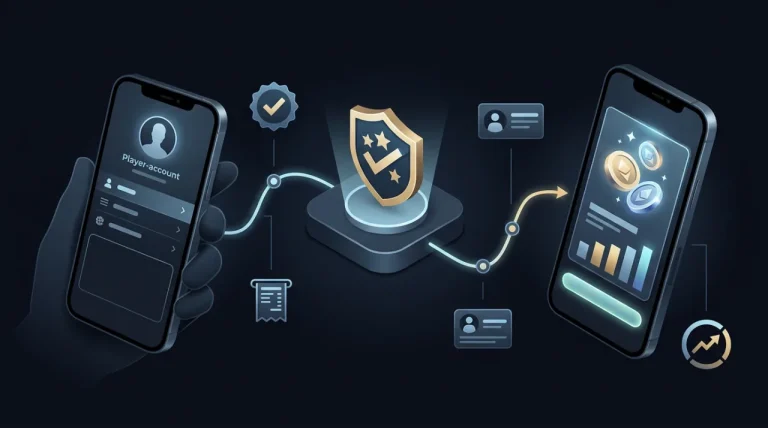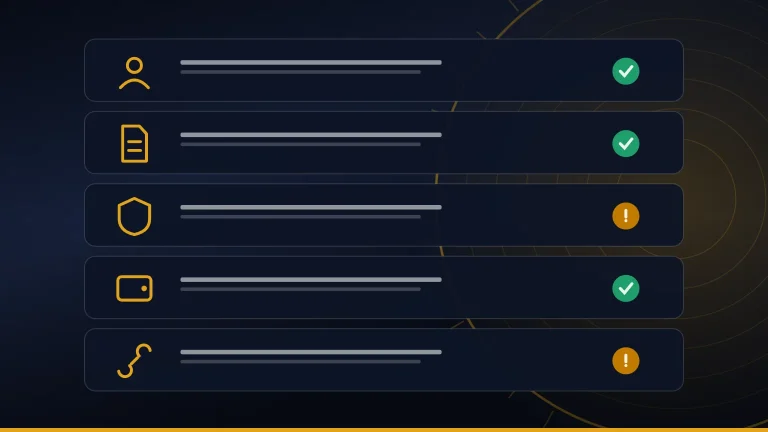


To cash out on Game Vault online, the current first-party process goes through a verified agent rather than a public browser withdrawal page. Game Vault’s FAQ says withdrawals are handled by verified agents and directs players who need cash-out help to support for step-by-step guidance. It also says Game Vault itself does not directly load or withdraw player funds.
That distinction is important because “online” can suggest there should be a website withdrawal button. Game Vault currently says the gaming service is mobile-only on iOS and Android and has no web version. Its Players page describes credits as coming through authorized stores and says winnings are redeemed according to store policies.
The public pages do not currently provide one universal cash-out fee, minimum withdrawal, maximum withdrawal, payment method, or guaranteed processing time. Those details need to be confirmed with the verified agent or store handling the account.
This guide focuses specifically on the withdrawal process: how to identify the correct agent, what to confirm before requesting a payout, what records to keep, and what to do when a Game Vault cash-out is delayed or disputed.
How Do You Cash Out on Game Vault?
Withdrawals Are Handled Through Verified Agents
Game Vault 999 currently says that withdrawals are handled through verified agents rather than directly by the platform.
Its FAQ states that verified agents help with account creation and credit loading and adds that Game Vault itself does not directly load or withdraw player funds. For cash-out problems, the same FAQ tells players to contact support for step-by-step assistance.
That creates two separate roles:
- Verified agent or store: handles the actual withdrawal or redemption transaction.
- Game Vault support: helps when the player needs guidance or has a problem with an agent or cash-out.
The Players page supports the same model. It says players obtain credits through authorized stores in the Game Vault network and redeem winnings according to the applicable store policies.
So there is no verified basis for describing one universal Game Vault cash-out button or central withdrawal page. The first step is identifying the verified agent or authorized store connected to the account.
“Cash Out Online” Does Not Mean a Browser Withdrawal Page
A search for how to cash out on Game Vault online can make it sound as though there should be a website dashboard where players sign in and request a withdrawal.
That is not how the current first-party documentation describes the service.
Game Vault’s FAQ says the platform is mobile-only, supports Android and iOS, and does not offer a web version.
This means:
- the Game Vault website can be opened in a browser;
- the website provides support and platform information;
- actual gameplay is documented through the mobile app;
- cash-outs are handled through verified agents.
There is currently no documented public browser-based withdrawal portal that ordinary players should use.
Be cautious with pages claiming to be a Game Vault online cash-out, Game Vault admin, or browser withdrawal dashboard if they cannot be traced back to the current first-party site.
Check Which Store or Agent Handles Your Account
Before requesting a withdrawal, identify the authorized store or verified agent connected to your player account.
The Players page says credits are purchased through authorized stores within the Game Vault network and that winnings are redeemed according to store policies.
That makes the existing agent or store the logical first point of contact for a cash-out request.
A practical cash-out flow is:
Account balance → Verified agent/store → Confirm withdrawal terms → Request cash-out → Receive payment → Escalate to support if needed
If you no longer know which agent is associated with your account, use the contact information published on Game Vault’s current website rather than choosing another agent from a search result or social-media post.
The current contact page lists email, WhatsApp, Telegram, Signal, and Messenger as support routes.
Do not assume there is a universal withdrawal URL, administrator page, wallet address, or payment processor that applies to every Game Vault account.
Step-by-Step: How to Cash Out on Game Vault
Step 1 — Confirm Your Balance and Account
Open the verified Game Vault app and make sure you are looking at the correct player account before starting a withdrawal.
Check the account balance and confirm that you are using the same profile associated with the agent or authorized store that handles your credits.
This avoids common problems such as contacting the wrong store about funds held under another account.
Before sharing screenshots with support or an agent, remove or hide sensitive information where possible. Do not send:
- passwords;
- one-time codes;
- recovery codes;
- full payment-card information;
- unrelated personal documents.
Only share the information genuinely needed to identify the transaction or account issue.
Step 2 — Contact Your Verified Agent or Store
Send the withdrawal request to the verified agent or authorized store that handles your Game Vault account.
The FAQ explicitly says withdrawals are handled through verified agents.
If you still have the original agent contact from when you obtained credits, start there.
If that contact is no longer available or you are unsure whether it is still valid, use Game Vault support to confirm the correct route rather than selecting a random agent online.
The first-party FAQ specifically tells users with an agent or cash-out problem to contact [email protected].
Do not move the withdrawal to a new person merely because someone claims they can process it faster.
Step 3 — Confirm the Cash-Out Terms Before Proceeding
Before approving the withdrawal, ask the verified agent exactly how the transaction will work.
Confirm:
- available payout method;
- minimum withdrawal, if any;
- maximum withdrawal, if any;
- processing or service fee, if any;
- expected processing time;
- whether identity verification is required;
- any store-specific redemption conditions.
The current public Game Vault pages do not publish one universal withdrawal minimum, maximum, fee, or guaranteed processing time that applies to every player.
The FAQ says verified agents inform players which payment methods are available in their region and advises users to confirm those methods directly before sending funds.
That regional approach means a payout method available to one user should not automatically be presented as the standard for everyone.
If the agent gives you financial terms, confirm them before the transaction starts rather than after the withdrawal is already pending.
Step 4 — Submit the Withdrawal Through the Verified Channel
Once the agent and withdrawal terms are confirmed, follow the instructions supplied through that verified channel.
Pay attention if anything changes during the process.
Re-verify the transaction if you are suddenly told to:
- contact a different Telegram or WhatsApp account;
- send funds to a new wallet or bank account;
- open an unfamiliar payment page;
- communicate with a second “cash-out agent”;
- pay an unexpected activation or release charge.
A change is not automatically fraudulent, but it should be independently confirmed before you continue.
Game Vault’s own site emphasizes verified-agent transactions, so the identity of the person or store processing the cash-out matters.
There is also no current first-party basis for claiming that one bank, wallet, cryptocurrency, or payment processor is the universal Game Vault withdrawal method.
Step 5 — Keep a Record Until the Payment Arrives
Keep basic records of the withdrawal until the transaction is fully completed.
Useful information includes:
- withdrawal amount;
- date and time requested;
- Game Vault account identifier;
- agent or store name;
- agreed payment method;
- transaction or reference number;
- screenshots of relevant messages;
- confirmation that the request was accepted.
These records become especially useful if the cash-out is delayed or disputed.
Game Vault’s Players page says its support team can review complaints and investigate reports of wrongdoing, while the FAQ directs players with cash-out problems to support.
Clear records make it easier to show what was requested, who handled it, and what terms were agreed upon without repeatedly reconstructing the transaction from memory.
How to Verify a Game Vault Agent Before Cashing Out
Look for the Official Verification Badge
Game Vault’s current FAQ says verified agents have an official verification badge and tells players to confirm that status before making payments. The homepage likewise says transactions are conducted through verified agents and tells users to look for the verified-agent badge.
Apply the same caution when an agent is handling a withdrawal. Before following cash-out instructions, make sure the person or store you are dealing with is the same verified contact associated with your account.
A badge is useful as one verification signal, but a screenshot of a badge should not be treated as definitive proof on its own. Images, profile pictures, and branding can be copied.
If anything about the agent has changed—such as the username, phone number, payment destination, or messaging account—verify the contact again before proceeding.
Cross-Check the Agent Through Current Game Vault Support
If you are uncertain about the agent handling your cash-out, use the contact details published on Game Vault’s current first-party Contact page rather than relying only on information supplied by the agent.
The site currently lists:
- Email: [email protected]
- WhatsApp: +852 64386769
- Telegram: @GvVssupport3
- Signal: GameVault999
- Messenger: GameVault999
The FAQ also says players with an agent or cash-out problem should email support, while its general support information lists email, Telegram, and WhatsApp.
Use the live Contact page when you need to verify current details. Messaging handles and phone numbers can change, so an old screenshot, video description, or forum post should not override the information currently published by Game Vault.
When contacting support, explain that you are trying to verify the cash-out route or resolve an agent issue. Do not send your password or one-time authentication codes.
Be Careful if the Payment Destination Suddenly Changes
A last-minute change in transaction details is a reason to stop and verify again.
Examples include being told to use:
- a different bank account;
- a new wallet address;
- another phone number;
- a replacement Telegram or WhatsApp account;
- a new payment page that was not part of the original arrangement.
A legitimate payment route can change, but you should not assume the change is genuine simply because the message includes the Game Vault name, logo, or familiar wording.
Confirm the new instructions with the original verified agent and, when necessary, through Game Vault’s current support channels before sending money or sensitive information.
This is particularly important during a cash-out because a player may already be expecting funds and feel pressure to complete an extra step quickly.
What Cash-Out Rules Does Game Vault Publish?
Game Vault Confirms Withdrawals Through Verified Agents
The clearest first-party statement is straightforward: Game Vault says withdrawals are handled through verified agents.
Its FAQ says players can contact support for step-by-step guidance on cash-outs. It also says Game Vault itself does not directly handle loading and withdrawing player funds.
The Players page adds that credits are purchased through authorized stores and that winnings are redeemed according to store policies.
That means two levels of information matter:
- Game Vault publishes the general agent-based withdrawal model.
- The specific store or verified agent may have additional rules applying to the player’s account.
Do not assume that one agent’s terms automatically apply to every Game Vault user.
No Universal Public Withdrawal Minimum or Maximum Is Clearly Listed
The current public pages reviewed for this guide do not clearly publish one minimum or maximum withdrawal amount for every Game Vault account.
The FAQ does discuss wins, saying there is no strict win limit and that typical maximum wins are around 20–50 times the bet size. That statement describes winning amounts, not a universal cash-out limit.
These are different questions:
- Win limit: how much a game may pay relative to a bet.
- Withdrawal limit: how much a player may request in one cash-out.
Do not convert the first figure into the second.
Before requesting a payout, ask the verified agent or authorized store whether your account has:
- a minimum cash-out;
- a maximum cash-out;
- daily or transaction limits;
- any other store-specific redemption condition.
No Universal Public Cash-Out Fee Is Clearly Listed
Game Vault’s current FAQ and Players page do not state one standard withdrawal fee that applies to every player.
The public documentation confirms the use of verified agents and authorized stores, but it does not give a universal percentage or fixed cash-out charge.
Ask about fees before confirming the withdrawal.
Useful questions include:
- Is there a withdrawal fee?
- Is it fixed or percentage-based?
- Is the fee deducted from the requested amount?
- Does the receiving payment method charge anything separately?
Do not assume that “no fee” or a particular percentage applies simply because another player reports receiving those terms.
No Universal Cash-Out Time Is Guaranteed Publicly
The public Game Vault pages reviewed here do not publish one guaranteed processing time for every withdrawal.
The homepage includes a player testimonial claiming a cash-out arrived “in minutes,” but that is presented as an individual testimonial rather than a universal service-level guarantee.
A testimonial can describe one player’s experience. It does not establish that:
- every withdrawal is processed in minutes;
- every agent follows the same timing;
- every payment method settles equally fast;
- delays can never occur.
Ask the verified agent for the expected processing window that applies to your particular payout method and account.
| Cash-out detail | What Game Vault publicly states | What to confirm with the verified agent/store |
|---|---|---|
| Withdrawal method | Handled through verified agents | Exact steps for your account |
| Minimum withdrawal | No universal public figure found | Current minimum, if any |
| Maximum withdrawal | No universal cash-out figure found | Current maximum, if any |
| Cash-out fee | No universal public fee found | Fee amount and calculation |
| Payment method | Varies by region | Available method for your location |
| Processing time | No universal guarantee published | Expected settlement window |
Game Vault Cash-Out Delayed or Not Received
Contact the Agent Handling the Withdrawal First
If a Game Vault cash-out has not arrived when expected, start with the verified agent or authorized store that accepted the request.
Ask them to confirm:
- that the withdrawal request was received;
- the amount being processed;
- the selected payment method;
- the current transaction status;
- whether any legitimate information is still required.
Do not immediately submit another identical withdrawal unless the agent or support specifically tells you to do so. Duplicate requests can make it harder to determine which transaction is being processed.
If the agent provides a reference number or status update, save it.
Escalate Cash-Out Problems to Game Vault Support
Game Vault’s FAQ specifically addresses this situation. For a problem involving an agent or cash-out, it directs players to [email protected].
The Players page also says the support team can review complaints and investigate reports of wrongdoing.
Current first-party contact options include:
- email;
- WhatsApp;
- Telegram;
- Signal;
- Messenger.
When escalating the issue, explain the transaction clearly rather than opening multiple unrelated support conversations. Include enough information for the team to identify the agent and withdrawal without exposing your account password.
What Information to Keep for a Cash-Out Investigation
A clear transaction record can make a delayed-withdrawal investigation much easier.
Keep:
- your Game Vault account identifier or username, where appropriate;
- the agent or store name;
- the withdrawal amount;
- the date and approximate time of the request;
- the agreed payment method;
- any transaction or reference number;
- receipts;
- relevant screenshots or messages;
- the expected processing time you were given.
Game Vault says its support team can investigate complaints and reports of wrongdoing, so these records can help establish what happened and who handled the transaction.
Do not include unnecessary sensitive information. In particular, avoid sending:
- your password;
- one-time authentication codes;
- recovery codes;
- full payment-card credentials;
- unrelated identity documents.
Share only what is genuinely needed to investigate the cash-out.
Do Not Pay an Unverified “Release Fee”
Be cautious if a new or unverified contact suddenly tells you that your withdrawal is frozen, blocked, or pending and can only be released after another payment.
The public Game Vault pages do not publish a universal “release fee” for withdrawals.
If an additional charge is requested:
- ask what the charge is for;
- obtain the amount and terms in writing;
- confirm the request with the original verified agent;
- cross-check it through current first-party support if anything is unclear;
- do not send money until the request has been independently verified.
This is especially important when the request comes from a new phone number, messaging account, wallet, or payment destination.
Game Vault’s own FAQ emphasizes verified-agent status before financial transactions and tells users with cash-out problems to involve support.
Game Vault Online Login, App, and Cash-Out Are Different
Game Vault Does Not Currently Offer Web Gameplay
A Game Vault online login app search can create the impression that players can open a browser, sign in, play, and cash out from the website. Game Vault’s current FAQ describes a different setup: the gaming service is available on iOS and Android only, and it explicitly says there is no web version.
Opening gamevault999.com in Chrome, Safari, or another browser is therefore not the same as signing into a playable Game Vault account. The website provides information, registration/contact options, downloads, and support, while the actual player experience is documented through the mobile app.
This distinction also applies to cash-outs. The public FAQ does not direct players to a browser withdrawal dashboard. It says withdrawals are handled through verified agents.
So these are separate actions:
- Website visit: information, downloads, registration, and support.
- Player login: mobile-app access to the player’s gaming profile.
- Cash-out: handled through the verified-agent/store system.
Cash-Out Is Not a Public “Game Vault Admin” Function for Players
There is no first-party documentation showing a public Game Vault admin page where ordinary players log in and process their own withdrawals.
The public Game Vault site describes several distinct roles. Players create accounts, obtain credits through authorized stores, play, and redeem winnings according to store policies. Verified agents handle transactions, while distributors or store partners can receive access to business tools after onboarding.
The Agents page specifically says approved partners can manage their store, sub-distributors, and players through a dashboard. That is partner-side functionality, not evidence that every player has access to an admin dashboard.
Keep these account types separate when following cash-out instructions:
| Access type | Main purpose |
|---|---|
| Player account | Play games and manage the player’s gaming profile |
| Verified agent/store | Handle credits and withdrawals under the published agent model |
| Distributor dashboard | Manage stores, sub-distributors, players, and partner operations |
| Public website | Information, support, registration, and download routes |
A page labeled “admin,” “cashier,” or “withdrawal login” should not automatically be trusted simply because it uses Game Vault branding.
Player Login and Installation Belong in the Main Guide
Players who need help downloading the app, registering an account, or signing in should use the dedicated Game Vault 999 guide rather than treating the cash-out process as a login tutorial.
The current homepage says players download the app, register a gaming profile, obtain credits from official agents, and then launch the app and log in with their credentials.
This withdrawal guide stays focused on what happens after a player has an account and needs to redeem winnings through the verified-agent system.
Related guideGame Vault 999: APK Download, Login & App GuideCashing Out Safely: Practical Checks Before You Confirm
Verify the Agent
Before confirming a withdrawal, make sure you are dealing with a verified Game Vault agent or authorized store.
Game Vault’s FAQ says verified agents have an official verification badge and advises players to confirm it before financial transactions. The homepage similarly states that transactions are conducted through verified agents.
If the contact information, payment instructions, or account handling suddenly changes, verify the new details through the current first-party support route before continuing.
Do not rely only on a profile picture, copied logo, forwarded message, or screenshot of a verification badge.
Confirm the Amount and Payment Method
Agree on the withdrawal amount and receiving method before the cash-out is processed.
Game Vault says available payment methods can vary by region and that verified agents should tell players which methods are available to them.
Before proceeding, confirm:
- how much you are requesting;
- how the payout will be sent;
- which account, wallet, or payment destination will receive it;
- whether any store-specific conditions apply.
Do not assume that a payment method reported by another Game Vault user will also be available for your account or location.
Ask About Fees and Timing
Ask about any fee and the expected processing window before approving the withdrawal.
The current public Game Vault pages do not clearly publish one universal withdrawal fee or guaranteed cash-out time for every player. The homepage does display positive player testimonials, including one describing a payout received in minutes, but that is an individual testimonial rather than a binding service guarantee.
Treat statements in advertising, testimonials, social posts, and Game Vault reviews as reports or marketing claims unless they are also stated as official withdrawal terms.
For your own transaction, get the applicable fee and expected timing directly from the verified agent or store handling it.
Save the Transaction Record
Keep enough information to document the cash-out until the payment has arrived.
Useful records include:
- withdrawal amount;
- request date;
- agent or store identity;
- agreed payout method;
- transaction or reference number;
- relevant messages or receipts.
These details are particularly valuable if Game Vault support later needs to investigate the transaction. The Players page says its support team can review complaints and investigate reports of wrongdoing.
Keep passwords, authentication codes, and unrelated sensitive information out of ordinary transaction records.
Game Vault Cash-Out vs Unrelated “Game Vault” Searches
“Game Show Vault” Is Not the Game Vault 999 Cash-Out Process
The phrase Game Show Vault can refer to unrelated game-show media rather than the Game Vault 999 gaming platform.
For example, current web results include a Retro Game Show Vault featuring classic television game shows, and “The Game Show Vault” is also used in connection with archived game-show material. Those entities are unrelated to the Game Vault 999 verified-agent withdrawal process.
A similar name does not mean two services share:
- player accounts;
- agents;
- payment systems;
- login credentials;
- withdrawal procedures.
Before following any cash-out instructions, confirm that the product involved is actually Game Vault 999.
“Play Game Vault Online Free” Is a Different Intent
A search such as play Game Vault online free or Game Vault free play APK is primarily about accessing or trying games, not withdrawing winnings.
It should not be used as a source of cash-out instructions.
Game Vault 999’s current FAQ also says the service has no web version, so pages promising browser-based Game Vault gameplay should not automatically be treated as the official service.
Similarly, information about free play, bonuses, app downloads, or game discovery does not establish how a withdrawal is processed.
For cash-out questions, the relevant first-party model remains the verified-agent and authorized-store system.
Use the Entity Guide if the Product Is Unclear
“Game Vault” is used by multiple unrelated products and services. If the website, app, game, or business you are using does not clearly match Game Vault 999, identify the entity first before applying these withdrawal instructions.
That check can prevent someone from using the wrong login page, contacting an unrelated business, or following payment instructions that belong to another platform.
Conclusion
To cash out on Game Vault online, use the verified agent or authorized store connected to your player account rather than searching for a public browser withdrawal page. Game Vault’s current documentation says withdrawals are handled through verified agents, while the platform itself does not directly load or withdraw player funds. (gamevault999.com)
Before confirming a payout, verify the agent, agree on the withdrawal amount and payment method, and ask about any store-specific fee, limit, or processing time. The public site does not currently publish one universal cash-out fee, minimum, maximum, or guaranteed settlement window for every account.
Keep the transaction record until payment arrives. If the withdrawal is delayed, contact the original verified agent first and then escalate the issue through Game Vault’s current support channels if necessary. (gamevault999.com)
FAQ
Can I withdraw directly from the Game Vault app?
Game Vault’s public documentation does not currently describe a universal in-app withdrawal button for players. Its FAQ says withdrawals are handled through verified agents, while its Players page says winnings are redeemed according to store policies. Follow the verified agent/store process tied to your account. (gamevault999.com)
Does Game Vault support PayPal, Cash App, or cryptocurrency withdrawals?
The current FAQ does not publish one universal list of payout methods for every user. It says payment methods vary by region and should be confirmed with a verified agent. Do not assume a specific wallet, bank service, cryptocurrency, or payment app is supported until your verified agent confirms it. (gamevault999.com)
Can I cash out through a different Game Vault agent?
The public documentation does not clearly state that any verified agent can process any player’s withdrawal. Since credits and redemptions are tied to authorized stores and store policies, start with the agent or store handling your existing account. If that contact is unavailable, ask Game Vault support for guidance. (gamevault999.com)
What should I do if my Game Vault agent stops responding?
Keep your transaction records and contact Game Vault through its current first-party support channels. The FAQ specifically directs players with agent or cash-out problems to support, and the Players page says complaints and reports of wrongdoing can be reviewed. (gamevault999.com)
Is there an official Game Vault cash-out website?
Game Vault currently says it has no web version. The public website provides information, downloads, registration, and support, but the FAQ describes withdrawals as agent-handled transactions rather than a browser-based cash-out system. Be cautious with standalone withdrawal sites that cannot be traced to the first-party service. (gamevault999.com)
Quick Fact-Checks
Fact-check: Game Vault separates player support from distributor inquiries
The current homepage lists [email protected] for player support and [email protected] for distributor inquiries. A player with a withdrawal problem should not assume the distributor sales channel is the normal cash-out support route. (gamevault999.com)
Fact-check: Store policies matter to redemptions
Game Vault’s Players page says winnings are redeemed according to store policies. This helps explain why details such as available payout methods or other transaction conditions may not be identical across every player’s account. (gamevault999.com)
Fact-check: The public site distinguishes support from the actual withdrawal handler
Game Vault support can help with cash-out problems, but the FAQ says the platform itself does not directly load or withdraw player funds. The verified agent/store remains the transaction-handling side of the published model. (gamevault999.com)
Winnings and taxesIn the U.S., the IRS explains how gambling winnings are reported in Tax Topic 419.