
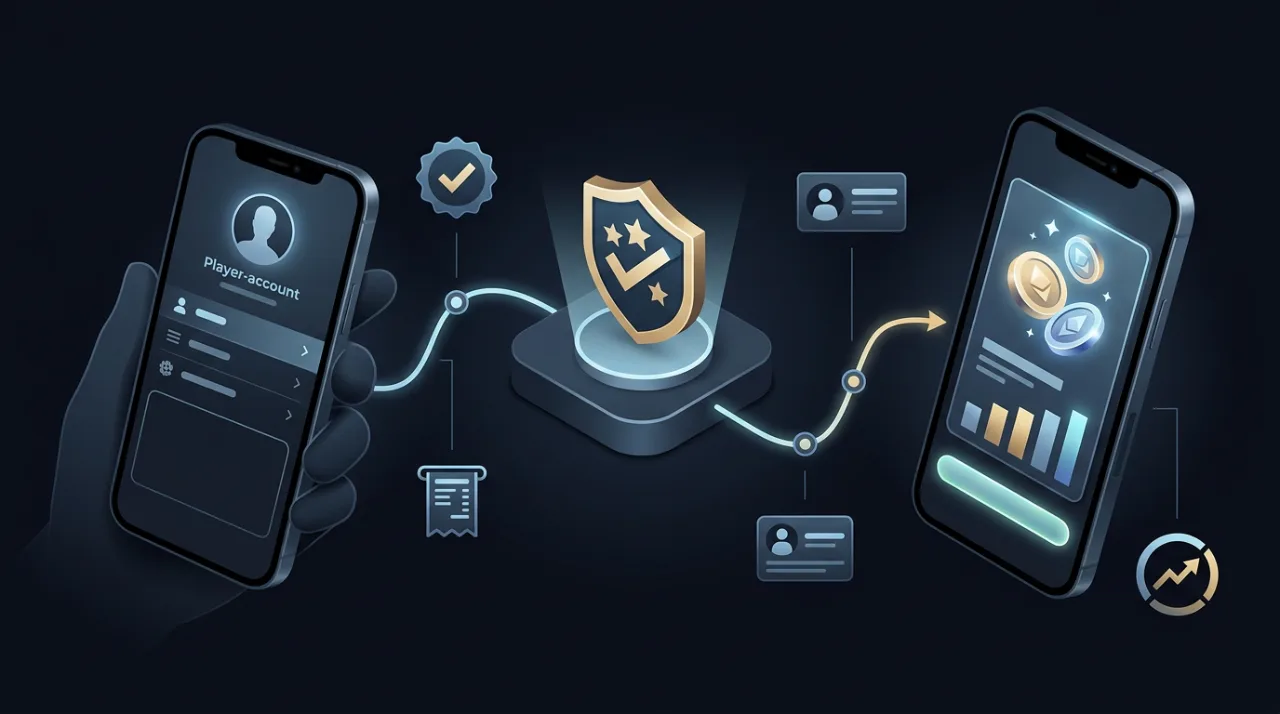
To add money to Game Vault, you currently add credits through a verified agent or an authorized store rather than using a documented public deposit page. Game Vault’s FAQ says a verified agent can help players securely load credits, while its Players page says credits are purchased through authorized stores in the Game Vault network. (gamevault999.com)
The payment method is not universal. Game Vault says verified agents provide the methods available in the player’s region and advises users to confirm those details before sending funds. It also tells players to verify the agent’s official badge before making a payment. (gamevault999.com)
That makes adding money different from downloading the APK, logging into the app, claiming a sign-up bonus, or using a distributor backend. Those are separate parts of the Game Vault system.
This guide focuses specifically on buying and loading credits: how to find the correct agent, confirm payment details, verify that the credits reached your account, and resolve a top-up that does not appear. It does not invent a universal payment method, deposit limit, loading fee, or backend login that Game Vault has not publicly documented.
How Do You Add Money to Game Vault?
Game Vault Uses Credits Rather Than a Public Direct-Deposit System
To add money to Game Vault, the current first-party process is described as purchasing and loading credits through verified agents or authorized stores rather than depositing money through a public cashier page.
Game Vault’s FAQ tells new players to message or email the service so a verified agent can help create the account and guide them through securely loading credits. It also states that Game Vault itself does not directly load or withdraw player funds.
The Players page describes the same basic system from the player side: credits are purchased through authorized stores within the Game Vault network, and once a top-up is completed, the credits appear in the player’s account.
So when someone asks how to add money to Game Vault, the practical process is:
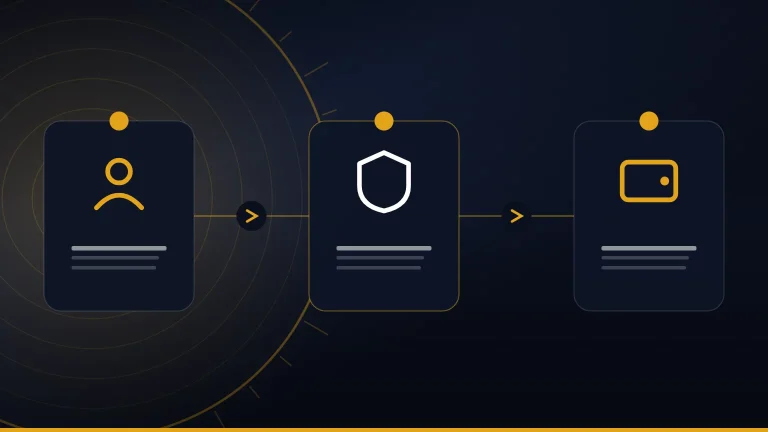
Player account → Verified agent/store → Confirm amount and payment method → Send payment → Credits loaded → Check balance
The current public documentation does not establish a universal:
- in-app Deposit button;
- browser-based cashier;
- direct Game Vault bank-transfer page;
- public wallet address;
- payment gateway used by every player.
Do not substitute instructions from an unrelated gaming platform simply because it uses a more familiar deposit model.
Use a Verified Agent or Authorized Store
Game Vault says its transactions are conducted through verified agents and tells users to look for the Verified Agent badge before making a payment. Its homepage also says players purchase credits through the verified-agent network.
If you already have a Game Vault account and an agent or store that has handled previous top-ups, start with that same verified contact when possible. This reduces the chance of sending money to a reseller who has no connection to your player account.
If you are starting with a new account, use the registration or contact route provided by Game Vault rather than choosing a random seller from social media or search results. The homepage says Game Vault can provide a verified link for purchasing credits securely.
A logo, username, or screenshot of a badge should not be treated as proof by itself. Before sending money, confirm that the contact belongs to the verified network.
Useful checks include:
- Does the agent appear through a current Game Vault route?
- Does the contact information match what you were previously given?
- Has the payment destination suddenly changed?
- Can the agent explain exactly how the credits will reach your account?
- Can current Game Vault support verify unusual instructions?
These checks matter because adding credits involves an actual financial transaction, not merely logging into the app.
Payment Methods Depend on Your Region
Game Vault does not currently publish one global list of payment methods for every player.
Its FAQ says verified agents will tell users which payment methods are available in their region and explicitly advises players to confirm the method directly with the agent before sending funds.
That means a method used by one player should not automatically be presented as the standard for everyone.
For example, do not assume universal support for:
- Cash App;
- PayPal;
- bank transfer;
- cryptocurrency;
- mobile wallets;
- card payments;
- another regional payment service.
A particular method may be offered by a verified agent in one market without being available to another player.
Before sending funds, confirm:
- the amount you want to add;
- the payment method available to you;
- the correct receiving account, wallet, phone number, or other destination;
- any fee or processing condition;
- which Game Vault player account will receive the credits.
If any of those details change during the transaction, verify them again before paying.
Step-by-Step: How to Add Credits to Game Vault
Step 1 — Make Sure You Have the Correct Player Account
Before sending money, confirm which Game Vault player account should receive the credits.
Open the verified Game Vault app and check the player profile or username involved in the top-up. This is especially important if you have used more than one account, device, agent, or store.
Game Vault’s current FAQ says the service is mobile-only on iOS and Android and does not offer a web version.
That means you should not assume an unfamiliar browser page labeled Game Vault casino login, “cashier,” or “backend” is the normal player top-up route.
A website may use Game Vault branding without being the place where your actual player account is managed.
Before moving to the payment step, make sure:
- the account is accessible in the expected app;
- the account name or identifier is correct;
- the agent knows which profile should receive the credits;
- you are not using an unrelated login page.
Detailed app installation and player-login instructions belong in the main guide rather than this funding article.
Related guideGame Vault 999: APK Download, Login & App GuideStep 2 — Contact the Verified Agent or Authorized Store
Once the player account is confirmed, contact the verified agent or authorized store that will process the top-up.
The Players page says credits are purchased through authorized stores in the Game Vault network. The homepage separately says players can get credits from official agents and that Game Vault can provide a verified purchase link.
If you already have a trusted verified agent connected to the account, use that contact rather than switching unnecessarily.
For a new player, the current homepage provides a registration form and says an agent will get back to the player.
Before proceeding, confirm:
- the agent’s identity;
- the exact account being credited;
- the amount you intend to purchase;
- the payment method;
- where the payment must be sent.
Do not transfer money simply because someone claims to be a Game Vault reseller. The first-party site emphasizes verified-agent transactions, so verification should happen before payment rather than after something goes wrong.
Step 3 — Confirm the Amount and Available Payment Method
Tell the verified agent how much account value or how many credits you want to add, then confirm the payment method available for your region.
Game Vault’s FAQ does not publish one universal payment processor. It says regional methods are provided by verified agents.
Before transferring anything, make sure both sides agree on:
- the amount being purchased;
- the Game Vault account receiving the credits;
- the payment destination;
- the currency, where relevant;
- any applicable fee;
- any expected processing time.
If the agent gives you a wallet address, phone number, bank account, or other payment destination, verify it before completing the transaction.
This is especially important if the destination differs from one you have used previously.
Do not assume another player’s YouTube video, review, or screenshot proves that the same payment method or account details apply to you.
Step 4 — Complete the Payment Through the Verified Channel
After confirming the account, agent, amount, and payment details, follow the instructions provided by the verified agent or authorized store.
Keep the transaction inside the verified communication channel you have already confirmed.
Stop and recheck the instructions if you are suddenly told to:
- send payment to a different person;
- switch to another messaging account;
- use a new wallet address;
- send money to an unfamiliar bank account;
- open a new payment page;
- contact a second “agent” who was not involved earlier.
A change in details is not automatically fraudulent, but it should be verified independently before money is sent.
Game Vault’s public documentation says transactions use verified agents and tells players to confirm agent verification before making payments.
Save the payment confirmation, transaction reference, and relevant messages until the top-up has been completed successfully.
Step 5 — Confirm the Credits Reached Your Account
After payment, check the correct Game Vault account and verify that the expected credits have appeared before starting gameplay.
The Players page says that once credits are topped up through an authorized store, they appear in the player’s account.
Do not rely only on a message saying the top-up was completed. Check the actual balance tied to your player profile.
If the amount is correct, keep the transaction record at least until you are satisfied that the account has updated properly.
If the credits do not appear:
- confirm you supplied the correct player account;
- check the payment reference;
- contact the agent who handled the top-up;
- avoid immediately sending a second payment;
- escalate through Game Vault support if the issue remains unresolved.
The homepage includes a player testimonial saying credit reloads were instant, but that is an individual experience rather than a guaranteed processing time for every transaction.
Game Vault’s FAQ gives more useful guidance for a problem: if credits do not arrive after payment, it tells players to contact support so the transaction can be verified with the agent.
How to Verify a Game Vault Agent Before Sending Money
Check the Verified Agent Badge
Game Vault’s current FAQ says verified agents display an official verification badge and specifically tells players to confirm that status before making a payment. (gamevault999.com)
That badge is an important first check, but it should not be the only one.
A screenshot of a badge can be copied, edited, or forwarded by someone who is not actually part of the Game Vault agent network. The same applies to profile pictures, logos, and usernames that closely resemble official branding.
Before sending funds, check that the agent:
- is connected to a current Game Vault registration or support route;
- is handling the correct player account;
- can explain where the credits will be loaded;
- provides consistent payment information;
- does not suddenly switch you to an unrelated contact without explanation.
If the identity is uncertain, verify it through Game Vault’s current first-party channels before paying.
Start From the Current Game Vault Website
Use gamevault999.com as the current first-party reference point for Game Vault 999 rather than relying on an old social post, search-result snippet, video description, or forwarded messaging link.
The current homepage says Game Vault transactions use verified agents and that players can obtain credits through the verified-agent network. It also provides registration and contact routes for players. (gamevault999.com)
Starting from the live site gives you a better chance of avoiding:
- expired contact information;
- copied agent profiles;
- unofficial payment pages;
- domains with similar names;
- old messaging handles;
- reseller links that cannot be traced to Game Vault.
Recheck the first-party site if anything important changes during the transaction.
For example, verify again if an agent suddenly gives you:
- a new WhatsApp number;
- a different Telegram username;
- another wallet address;
- a different receiving account;
- a new payment page;
- instructions to contact another person.
A change may have a legitimate explanation, but it should be confirmed before funds move.
Cross-Check Suspicious Instructions With Support
Game Vault’s current Contact page provides several support routes, including:
- Email: [email protected]
- WhatsApp: +852 64386769
- Telegram: @GvVssupport3
- Signal: GameVault999
- Messenger: GameVault999 (gamevault999.com)
Use the live Contact page when checking these details because phone numbers and messaging handles can change over time.
Support verification is especially useful if:
- the agent’s payment destination has changed;
- you received conflicting top-up instructions;
- someone claims to be a replacement agent;
- a payment request comes from a new account;
- the seller cannot explain how your Game Vault credits will be loaded.
When asking support to verify an agent, share only the information needed to identify the contact or transaction.
Do not send your Game Vault password, one-time codes, recovery credentials, full payment-card details, or other unnecessary sensitive information simply to prove who you are.
Which Payment Methods Can You Use to Add Money?
Game Vault Does Not Publish One Universal Payment-Method List
Game Vault does not currently publish one global list of payment methods that applies to every player.
Its FAQ says verified agents will inform players which payment methods are available in their region and advises users to confirm those methods directly before sending funds. (gamevault999.com)
That means the correct payment option can depend on the player, agent, and location.
A payment method shown in another user’s:
- review;
- screenshot;
- YouTube video;
- Reddit post;
- social-media comment;
- old tutorial
should not automatically be treated as available for your account.
The most reliable approach is to ask the verified agent handling your top-up which method currently applies to you.
Confirm the Payment Destination Before Sending Funds
Once the payment method has been agreed, verify the exact destination before completing the transfer.
Depending on the method provided by the verified agent, that could mean checking details such as:
- recipient name;
- account number;
- phone number;
- wallet address;
- payment username;
- transaction reference instructions.
Make sure those details came from the verified agent you intended to pay.
If the destination changes unexpectedly, pause before sending anything else.
For example, if an agent first gives one receiving account and then sends a different wallet or phone number immediately before payment, confirm the change through the existing verified contact. Use first-party support as an additional check if the explanation is unclear.
Keep the payment receipt or transaction confirmation until the Game Vault credits appear correctly in your account.
That record can help the agent or support team trace the top-up if something goes wrong.
Do Not Infer Support for a Payment Service From an Unofficial Guide
A third-party guide may say Game Vault accepts a particular bank, wallet, payment app, or cryptocurrency. That does not establish that the same option is currently supported for every player.
Game Vault’s own FAQ deliberately leaves the payment method region-specific and directs players back to verified agents. (gamevault999.com)
For that reason, do not assume universal support for services such as:
- PayPal;
- Cash App;
- bank transfer;
- cryptocurrency;
- mobile-money services;
- prepaid cards;
- regional wallets.
Only treat a payment service as available when the current verified agent confirms it for your account and region.
This also helps avoid a common problem: sending money through a payment method that belongs to an unrelated reseller rather than the Game Vault agent connected to your account.
Does Game Vault Have a Minimum Deposit, Maximum Top-Up, or Loading Fee?
No Universal Public Minimum Top-Up Is Clearly Listed
The current Game Vault FAQ, Players page, and homepage do not clearly publish one minimum credit-purchase amount that applies to every player.
Game Vault describes credit purchases through verified agents and authorized stores, but the public pages reviewed do not state a universal minimum such as $5, $10, $20, or another fixed amount. (gamevault999.com)
That means the minimum, if one applies, should be confirmed with the verified agent or store handling the account.
Ask before sending funds rather than assuming that a minimum mentioned in another player’s review applies to you.
No Universal Public Maximum Top-Up Is Clearly Listed
The same limitation applies to maximum top-ups.
Game Vault’s public FAQ does discuss maximum wins, saying typical maximum wins may be around 20–50 times a bet size. That statement is about potential winnings, not the maximum amount of credits a player can purchase or load. (gamevault999.com)
These are different concepts:
- Maximum win: how large a game result may be relative to the bet.
- Maximum top-up: how much account value or how many credits can be purchased in a transaction.
- Withdrawal limit: how much can be redeemed or paid out.
Do not convert the published win information into a deposit or top-up limit.
If you plan to load a larger amount, ask the verified agent whether any transaction, account, store, or regional limit applies before transferring the money.
No Universal Public Loading Fee Is Clearly Listed
Game Vault’s current public pages also do not clearly state one standard credit-loading fee for every account.
Do not assume there is:
- a fixed percentage fee;
- a universal flat charge;
- no fee at all;
- the same payment-provider fee in every region.
There may be more than one cost to clarify. An agent or store could have its own transaction terms, while the payment service itself may separately charge a transfer or processing fee.
Before paying, ask:
- how much account value or how many credits you will receive;
- how much money you must send;
- whether the agent or store charges anything;
- whether the payment provider charges separately;
- how long the top-up is expected to take.
| Funding detail | What Game Vault publicly confirms | What to confirm with the verified agent/store |
|---|---|---|
| Payment method | Varies by region | Which method is available to you |
| Minimum top-up | No universal public amount clearly listed | Minimum purchase, if any |
| Maximum top-up | No universal public amount clearly listed | Maximum transaction or account limit, if any |
| Loading fee | No universal public fee clearly listed | Agent/store fee and payment-provider fee |
| Processing time | Credits are described as appearing after top-up | Expected time for your specific transaction |
The homepage includes a player testimonial describing credit reloads as instant, but that is an individual testimonial rather than a guaranteed processing standard for every agent, account, region, or payment method. (gamevault999.com)
For a real top-up, the applicable terms are the ones confirmed for your specific transaction before you send funds.
Game Vault Credits Not Showing After Payment
Check the Correct Account First
If your Game Vault credits are not showing after payment, first confirm that the top-up was sent to the correct player account.
Check the username or player profile you supplied to the agent and compare it with the account currently open in the Game Vault app. Game Vault’s Players page says purchased credits appear in the player’s account after the top-up, so an incorrect account identifier can make a successful payment look like a missing-credit problem.
Before contacting support, verify:
- the player username or account identifier you gave the agent;
- the amount you asked to load;
- the account currently signed in on your device;
- the transaction or payment reference;
- the date and approximate time of payment.
Do not send another payment simply because the balance has not changed immediately.
The Game Vault homepage includes a testimonial describing instant credit reloads, but that is an individual user statement rather than a guaranteed processing time for every agent, payment method, or account.
Contact the Agent Who Processed the Top-Up
If the account details are correct, contact the verified agent or authorized store that handled the payment.
Ask the agent to confirm:
- that the payment was received;
- the amount received;
- which player account was credited;
- whether the top-up has been processed;
- whether the transaction is still pending.
Game Vault’s FAQ says verified agents handle the credit-loading process, while the Players page says credits are purchased through authorized stores within the Game Vault network.
Keep your receipt, transaction number, and relevant messages until the issue is resolved. These records give the agent and support team something specific to trace instead of relying only on a verbal description of the problem.
If the agent asks you to contact a different account, send another payment, or change payment destinations while investigating the first top-up, verify those instructions before proceeding.
Escalate Missing Credits to Game Vault Support
Game Vault’s FAQ directly addresses missing credits after payment.
It tells players who do not receive their credits to contact support immediately through email or Telegram, adding that the support team will verify the transaction with the agent and work to resolve the issue.
The Players page also says Game Vault support can assist with credit delays, review complaints, and investigate reports of wrongdoing.
When escalating the problem, provide enough information to identify the transaction, such as:
- player account identifier;
- agent or store name;
- payment amount;
- payment date and time;
- transaction reference;
- proof of payment;
- screenshots of relevant agent messages.
Do not include your password, one-time authentication codes, recovery credentials, or other unnecessary sensitive information.
The current Contact page lists support by email, WhatsApp, Telegram, Signal, and Messenger. Because contact details can change, use the live first-party page rather than an old screenshot or copied contact list.
Do Not Send a Second Payment Until the First Is Resolved
Sending another top-up before the first transaction has been traced can create a second problem instead of solving the first one.
Two similar payments can make it harder to determine:
- which transfer was received;
- which account each payment was meant for;
- whether one or both top-ups were processed;
- which transaction reference belongs to the missing credits.
First confirm the status of the original payment with the agent. If the agent cannot resolve it, escalate that exact transaction to Game Vault support.
Only make another purchase after you know what happened to the first payment and you have independently confirmed that another transfer is actually required.
Game Vault Backend Login Is Not the Player Top-Up Route
Player Accounts and Distributor Tools Have Different Roles
A normal Game Vault player account and a distributor or store-partner account serve different purposes.
The Players page describes the player flow as creating an account, purchasing credits through authorized stores, choosing games, and using those credits for gameplay.
The Agents page describes a separate business role. Approved distributors or store partners can receive access to credits, tools, marketing assets, and a dashboard used to manage stores, sub-distributors, and players.
That does not establish a public Game Vault backend login intended for ordinary players.
The distinction is:
| Account or access type | Main purpose |
|---|---|
| Player account | Play games and use purchased credits |
| Verified agent/store | Help load credits and handle player transactions |
| Distributor dashboard | Manage stores, players, sub-distributors, and partner operations |
A player who wants to add credits normally does not need distributor backend access.
Do Not Use an Unknown Backend Page to Add Credits
A page that looks like an administrative dashboard should not automatically be trusted as a Game Vault funding portal.
Game Vault’s public FAQ says verified agents guide players through securely loading credits, while the homepage says credit purchases use the verified-agent network.
Avoid entering player credentials or sending money through a supposed backend page if you cannot trace it to:
- the current Game Vault website;
- a verified agent;
- the documented partner onboarding process;
- current Game Vault support.
A professional-looking interface, Game Vault logo, balance field, or “admin” label does not prove that the operator is authorized.
This matters because distributor tools can exist legitimately while still being inappropriate for normal player use. The Agents page confirms that partners receive backend-style management tools after onboarding, not that such tools are a public top-up route for every player.
Distributor Access Belongs in the Agent Guide
Players who are trying to purchase credits do not need detailed distributor-dashboard instructions.
Partner onboarding, store management, sub-distributor access, business tools, and agent credentials belong to the separate guide for people who want to become a Game Vault distributor or store partner.
Related guideHow to Become a Game Vault Agent: Application GuideAdding Credits Is Different From a Game Vault Sign-Up Bonus
Purchased Credits and Promotional Rewards Are Different
Money you personally use to purchase Game Vault credits should not be confused with promotional rewards.
The Players page says credits are purchased through authorized stores within the Game Vault network.
The homepage separately advertises daily offers and rewards, describing them as bonuses, events, and loyalty perks.
Those are different categories:
- Purchased credits: account value obtained through an authorized store or verified agent.
- Promotional rewards: bonuses, events, loyalty perks, or other offers that may have their own conditions.
- Winnings: amounts arising from gameplay that the Players page says are redeemed according to store policies.
A bonus appearing on an account should not automatically be treated as money the player personally deposited or purchased.
Likewise, buying credits does not automatically mean the player has qualified for a promotion unless the relevant offer says so.
No Universal Public Sign-Up Bonus Amount Is Clearly Published
The current public Game Vault pages reviewed for this guide do not clearly publish one universal Game Vault sign-up bonus amount that every new player receives.
The homepage promotes daily offers and rewards, but it does not state a permanent new-account reward such as a fixed dollar amount or universal number of free credits.
Do not invent:
- a guaranteed signup amount;
- a universal no-deposit credit balance;
- a permanent promo code;
- a fixed percentage matching bonus;
- an automatic cash reward.
A specific promotional offer may exist for some accounts, campaigns, agents, or periods, but its terms should be verified separately from the process of buying credits.
Detailed bonus and no-deposit verification belongs in the dedicated promotions article.
Related guideHow to Get Free Money on Game Vault? Bonus Claims Guide“Game Vault 999 Free Play” Does Not Mean a Free Account Balance
A search for Game Vault 999 free play can mean several different things. A player might be looking for a way to try games without spending personal funds, a promotional play opportunity, or a demo-style mode.
None of those meanings automatically proves that Game Vault gives every player a free permanent account balance.
The current homepage advertises bonuses, events, and loyalty perks, while the Players page describes ordinary credits as purchased through authorized stores.
The FAQ also says Game Vault is mobile-only and does not offer a web version, so “free play” should not be interpreted as confirmed browser-based play either.
Unless Game Vault publishes specific terms for a free-play promotion, keep these concepts separate:
- trying a game;
- receiving promotional play credits;
- purchasing credits;
- receiving a signup bonus;
- holding a withdrawable balance.
A “free play” claim by itself does not establish any of the others.
Game Vault App, APK, and Credit Loading Are Separate Steps
Installing the APK Does Not Add Credits
Downloading or updating the Game Vault app does not automatically add money or credits to a player account.
Game Vault describes app access and credit loading as separate steps. Its homepage first tells players to download the app, then obtain credits through official agents before starting gameplay. The FAQ likewise says verified agents guide players through securely loading credits.
So installing an APK Game Vault file does not by itself:
- create a funded balance;
- give free credits;
- complete a top-up;
- activate a deposit;
- guarantee a promotional reward.
Credits are tied to the account and the verified-agent/store process described by Game Vault, not simply to the app file installed on the device.
This distinction also matters when a download page advertises a “preloaded” or “unlimited balance” build. A modified interface can display altered values without proving that the actual Game Vault account system recognizes those credits.
Use the First-Party App Route
Game Vault’s FAQ directs users to its Download App flow and states that the service is available on Android and iOS. It also says there is no web version for gameplay.
For that reason, use the current Game Vault website as the starting point when you need the app rather than searching specifically for files labeled:
- “Game Vault unlimited credits APK”;
- “preloaded Game Vault APK”;
- “Game Vault free money mod”;
- “Game Vault hacked balance APK”;
- “Game Vault bonus APK.”
Those labels do not establish that the file came from Game Vault or that any advertised balance exists on the real player account.
The normal first-party sequence is clearer:
Get the app → access the correct player account → purchase credits through a verified agent/store → confirm the balance.
Keep app installation and funding as two separate checks.
Keep APK Version and Installation Details on the Main Guide
This article is focused on how to add money to Game Vault, so detailed Android installation, APK version research, iOS availability, update troubleshooting, and login setup do not need to be repeated here.
Players who need help identifying the current app route or installing Game Vault should use the main app guide.
Related guideGame Vault 999: APK Download, Login & App GuideWhat Can You Use Game Vault Credits For?
Credits Are Used Across the Game Vault Game Library
Game Vault’s Players page says users purchase credits through authorized stores, choose a game, and then use those credits for gameplay. It describes the catalog as a selection of sweepstakes and skill-based games.
The separate Games page says the library ranges from slots to fish-style games.
That gives the basic purpose of adding credits: they are the account value players use within the Game Vault game ecosystem.
There is no need to turn this funding guide into a complete catalog. The important point is that credits are used across the supported game library rather than being an APK installation fee or app-store purchase.
Game Vault Describes Sweepstakes and Skill-Based Games
Game Vault’s own terminology matters when describing what those credits are used for.
The Players page explicitly calls the catalog “sweepstakes and skill-based games.” The Games page separately promotes slot-style and fish-style titles.
That is more precise than automatically labeling the entire service as a conventional regulated online casino.
The phrase Game Vault 999 online casino platforms may appear in searches because some of the games resemble casino-style formats, but the first-party description should remain the baseline unless jurisdiction-specific evidence supports a broader legal classification.
For players, the practical point remains the same: purchased credits are used inside the Game Vault game library after they are loaded to the account.
Funding and Cashing Out Are Separate Processes
Adding credits and withdrawing winnings are two different transactions.
The funding side covers:
- purchasing credits;
- sending payment through a verified agent/store;
- confirming the account;
- checking that the credit balance updates.
The redemption side begins later. Game Vault’s Players page says winnings are redeemed according to store policies, while the FAQ says withdrawals are handled through verified agents.
Players who already have winnings and want to withdraw them should use the dedicated cash-out guide rather than applying top-up instructions in reverse.
Related guideHow to Cash Out on Game Vault Online: Withdrawal GuideGame Vault 999, “Game Vault 9999,” and Unrelated Searches
Verify the Exact Game Vault Website Before Paying
The current first-party website used throughout this guide is gamevault999.com. Its live pages contain the player, agent, credit-loading, support, and game information referenced in this article.
A result labeled Game Vault 9999 should not automatically be treated as the same service simply because the name differs by only one digit.
Before sending money, compare:
- the domain name;
- support information;
- player-registration route;
- app-download route;
- agent verification;
- payment instructions.
This is especially important for funding because a small naming difference can still point to a completely separate website, reseller, clone, or unrelated service.
Do not transfer money based only on a familiar logo or nearly identical name.
“Game Vault 999 Online Casino Platforms” Can Be an Imprecise Label
Search results may describe Game Vault 999 as an online casino platform, but Game Vault’s own pages use more specific wording.
The Players page calls its catalog sweepstakes and skill-based games, while the Games page highlights slots and fish-style games.
That distinction matters when researching payment rules.
Rules from another online casino should not be imported into Game Vault simply because both services may contain slot-style games. Another platform’s:
- deposit minimum;
- payment processor;
- bonus system;
- account verification rules;
- withdrawal policy
does not establish how Game Vault works.
For this guide, the relevant funding model is the one Game Vault itself documents: credits purchased through authorized stores and verified agents.
“The Vault Game Level 13” Is a Different Game
Searches for The Vault game level 13 refer to an unrelated puzzle title called The Vault: Logic Puzzle Box, not Game Vault 999.
The Apple App Store lists The Vault: Logic Puzzle Box as a 3D puzzle game, and its reviews specifically include players discussing Level 13 and a heart-symbol puzzle. The developer response explains that the heart is intended as a directional hint rather than a movable object.
That game has no documented connection to:
- Game Vault 999 credits;
- verified agents;
- APK funding;
- player top-ups;
- withdrawals.
Do not apply Game Vault payment instructions to The Vault: Logic Puzzle Box, and do not treat puzzle walkthrough content as part of the Game Vault 999 platform.
Use the Entity Guide When the Name Is Unclear
“Game Vault,” “Vault,” and similar names are used by multiple unrelated apps, games, websites, and businesses.
Before following any funding or login instructions, identify the exact entity by checking its domain, app identity, developer or operator, platform, and account system.
This matters most when money is involved. A guide that is accurate for Game Vault 999 could be completely wrong for another product with “Vault” in its name.
Readers who are not certain which service they found should start with the site’s entity-disambiguation guide.
Conclusion
To add money to Game Vault, the current documented route is to purchase credits through a verified agent or authorized store rather than use a public deposit page. Game Vault says payment methods can vary by region, so the amount, payment destination, possible fees, and processing details should be confirmed before funds are sent.
Keep the payment record until the credits appear in the correct player account. If a top-up does not arrive, verify the account details and transaction with the original agent first, then use current Game Vault support so the payment can be checked with that agent.
The most useful next step is to confirm the verified agent, player account, credit amount, and payment method before starting the transaction.
FAQ
Can Game Vault support add credits directly to my account?
Game Vault’s FAQ says a verified agent can guide players through loading credits, but it also states that Game Vault itself does not directly assist with loading or withdrawing funds. The actual credit purchase is handled through the verified agent or authorized-store network.
Can another person add Game Vault credits to my account?
The public pages do not clearly document a universal third-party top-up policy. Before anyone else pays for credits, confirm with the verified agent that the payment can be applied to your specific player account and make sure the correct account identifier is supplied.
Can I add Game Vault credits from a computer?
Game Vault says gameplay is mobile-only on iOS and Android and that it does not offer a web version. Credit loading is documented through verified agents rather than a public browser cashier, so an unfamiliar PC “deposit portal” should not automatically be treated as official.
What proof should I keep after adding credits?
Keep the payment receipt or transaction ID, the amount paid, the player account identifier, the verified agent or store details, and relevant messages. If credits do not appear, Game Vault says support can verify the transaction with the agent, so these records can help identify the payment.
How long should a Game Vault credit top-up take?
Game Vault’s Players page says credits appear once topped up, but the public documentation does not publish one guaranteed processing time for every agent, region, or payment method. Confirm the expected timing with the verified agent handling your transaction.
Should I send another payment if my first Game Vault top-up is missing?
Do not assume a second payment is necessary. First confirm the original transaction with the agent and, if needed, contact Game Vault support. Its FAQ specifically tells players with missing credits to contact support so the transaction can be verified with the agent.
Quick Fact-Checks
Fact-check: Player support and distributor inquiries use separate routes
The current Game Vault homepage lists [email protected] for players and [email protected] for distributors. That separation supports the distinction between ordinary player funding questions and business-partner access.
Fact-check: Game Vault also documents business-side kiosk credit management
Game Vault has a separate kiosk-integration page describing automated player access and credit management through API integration. That is presented as a business integration feature, not as the normal public deposit route for individual players.
Paying someone onlineBefore sending money through an app or a third party, review the FTC’s Scam Alerts.